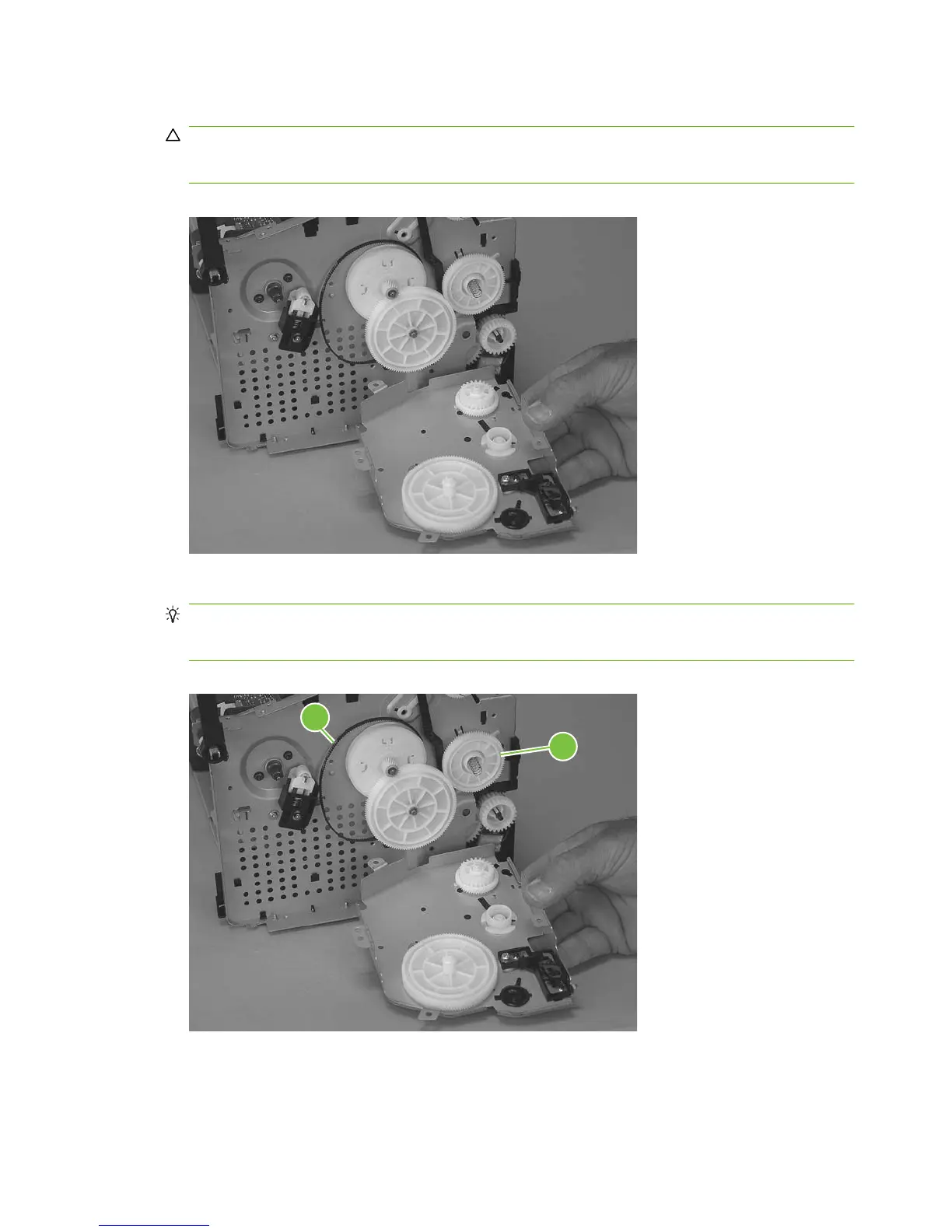
3. Remove the drive-gear assembly.
CAUTION: Not all of the gears and springs are captive when you remove the drive-gear
assembly. Make sure that you do not lose any of the springs or gears when the assembly is
removed.
Figure 5-86 Remove the drive-gear assembly and drive belt (3 of 4).
4. Remove one gear (callout 4), and then carefully slip the drive belt (callout 5) off of the drive gear.
TIP: When you reinstall the main-motor drive belt, make sure that it is correctly positioned on top
of the spring-loaded tension idler and that it is not twisted (the grooves in the belt should face
inwards when the belt is correctly positioned).
Figure 5-87 Remove the Drive-gear assembly and drive belt (4 of 4).
4
5
104 Chapter 5 Removal and replacement ENWW



 To Next Page