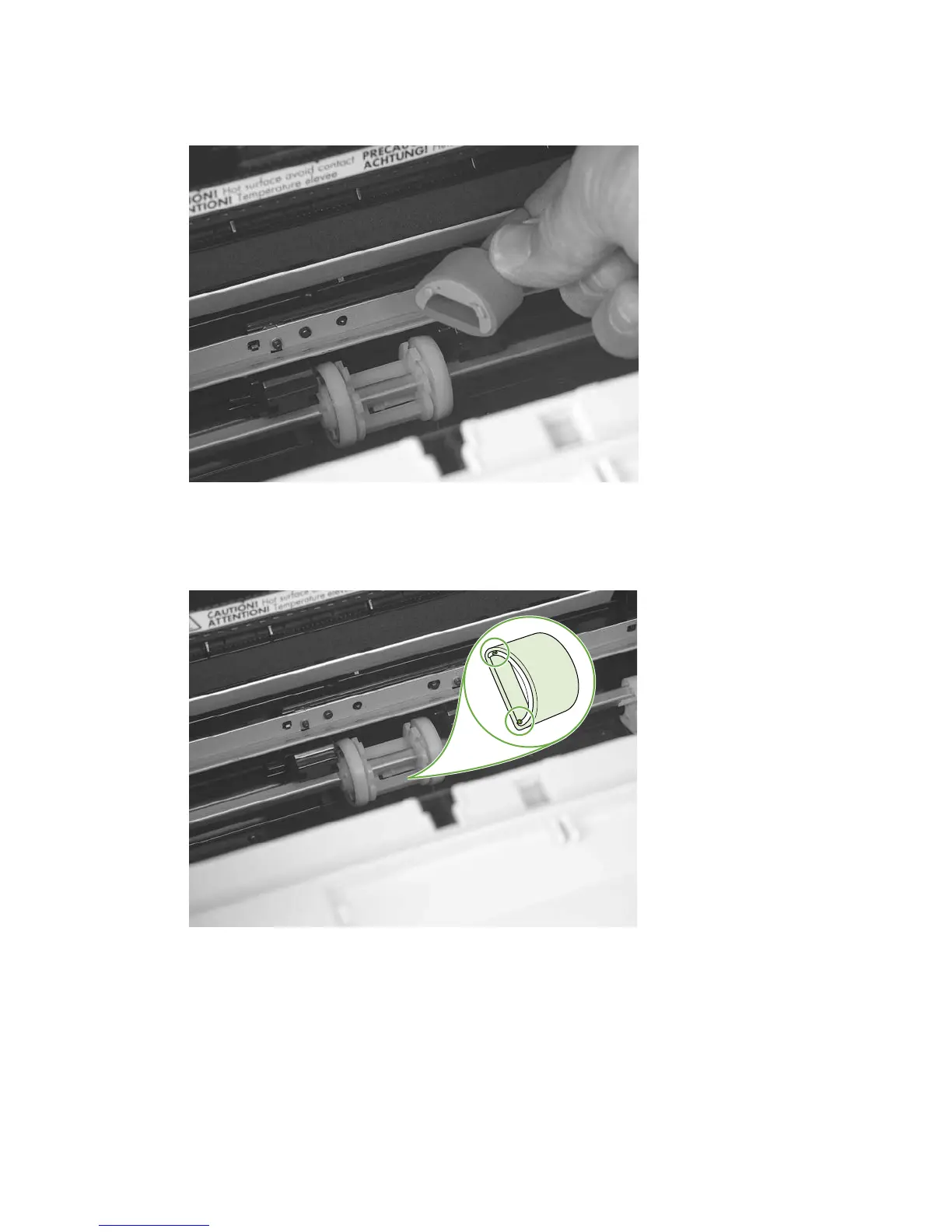
3. Gently pull the roller up and out of the product.
Figure 5-29 Remove the pickup roller (3 of 5)
4. Circular and rectangular pegs on each side of the pickup roller fit into corresponding slots on the
pickup-roller mounting frame and prevent the roller from being incorrectly installed. Position the
replacement pickup roller in the slots on the pickup-roller frame.
Figure 5-30 Remove the pickup roller (4 of 5)
68 Chapter 5 Removal and replacement ENWW



 To Next Page