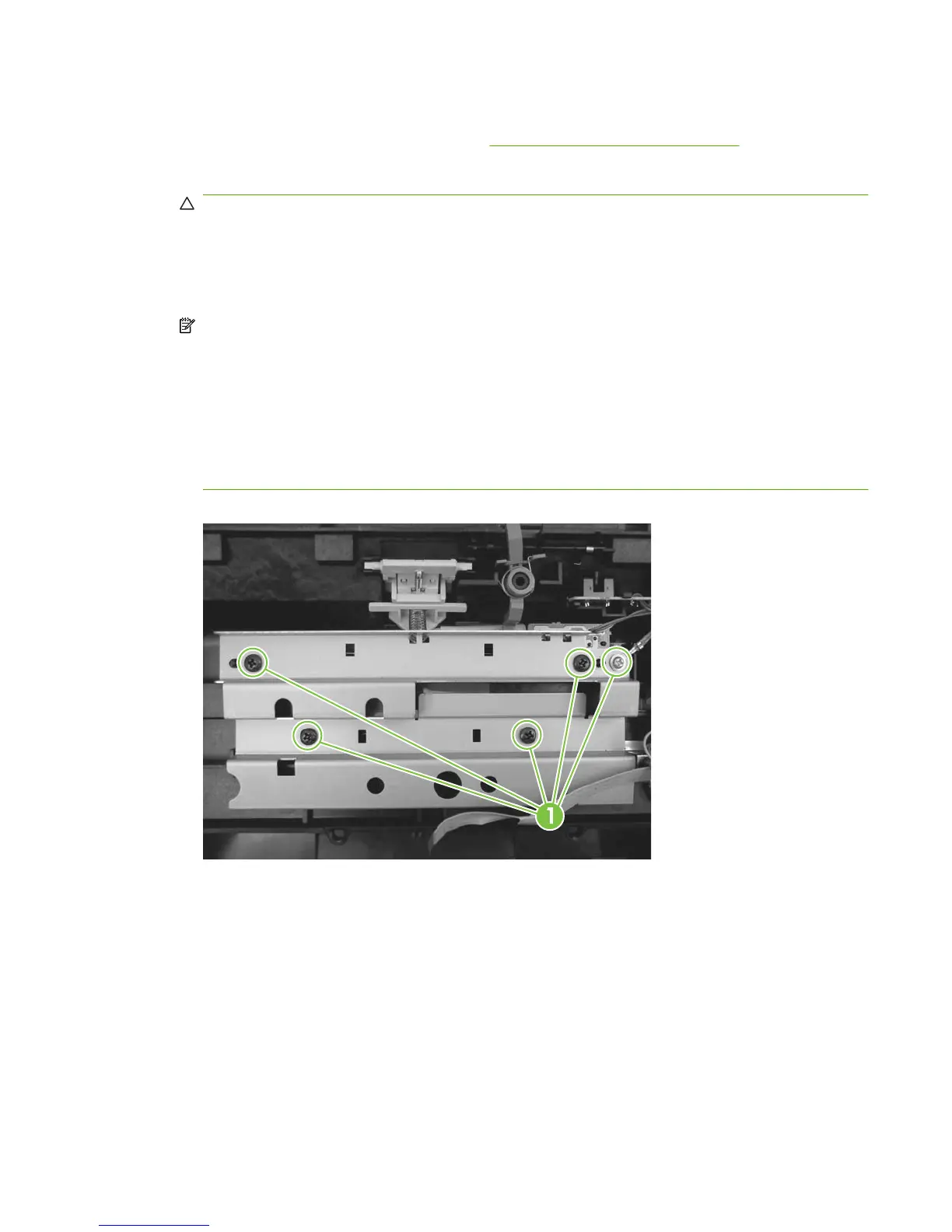
Separation-pad assembly
1. Remove the control-panel top cover. See Top cover, control panel on page 79.
2. Remove five screws (callout 1) and the sheet-metal plate.
CAUTION: Do not touch the grey separation pad. Skin oils and fingerprints on the separation
pad might cause paper-feed problems.
Press down on the plate as the screws are removed. Four compression springs are under the plate.
The separation-pad assembly also has one compression spring attached to the shield. Be careful
not to lose any springs when you remove the shield.
NOTE: The separation-pad set and the separation-pad assembly are two different assemblies.
The separation-pad set consists of the pad, clear plastic sheet, and the pad cover. The separation-
pad set is a user-replaceable assembly.
The separation-pad assembly consists of the separation lever, tension spring, feed arm, and the
components of the separation-pad set. The separation-pad assembly is not a user-replaceable
assembly.
Only trained service personnel should attempt to replace the separation-pad assembly.
Figure 6-17 Removing the separation-pad assembly (1 of 3)
ENWW Scanner assemblies 83



 To Next Page