EasyManua.ls Logo

HP LaserJet M1319 - Multifunction Printer - Page 100

HP LaserJet M1319 - Multifunction Printer
290 pages
Print Icon
To Next Page IconTo Next Page
To Previous Page IconTo Previous Page
Loading...
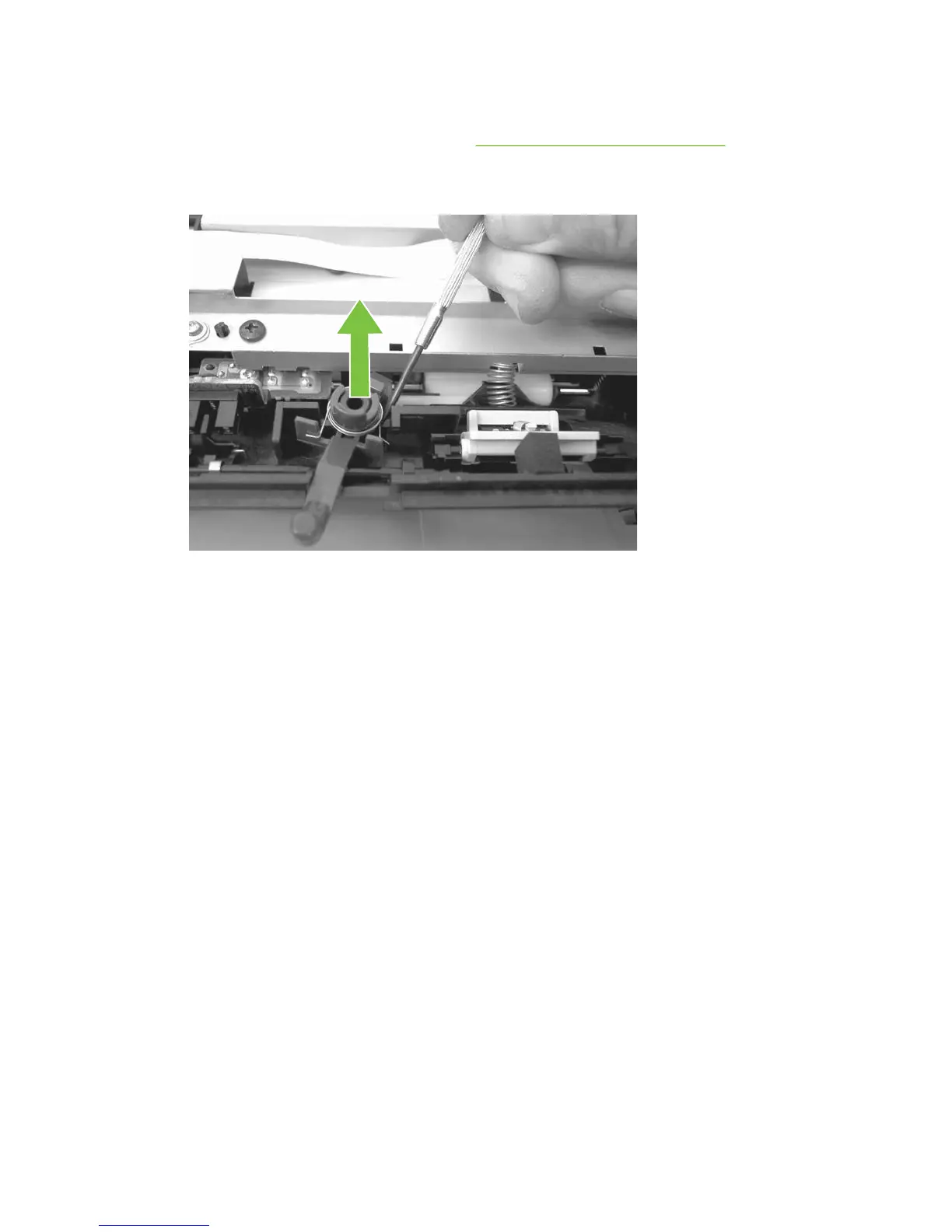
Media lever and media-lever torsion spring
1. Remove the control-panel top cover. See Top cover, control panel on page 79.
2. Carefully dislodge and remove the media-lever torsion spring.
Figure 6-16 Removing the media lever and media-lever torsion spring
82 Chapter 6 Removal and replacement ENWW


Other manuals for HP LaserJet M1319 - Multifunction Printer

Related product manuals