Control-panel assembly
CAUTION: The control panel is an ESD-sensitive component.
1. Remove the control-panel top cover. See Top cover, control panel on page 79.
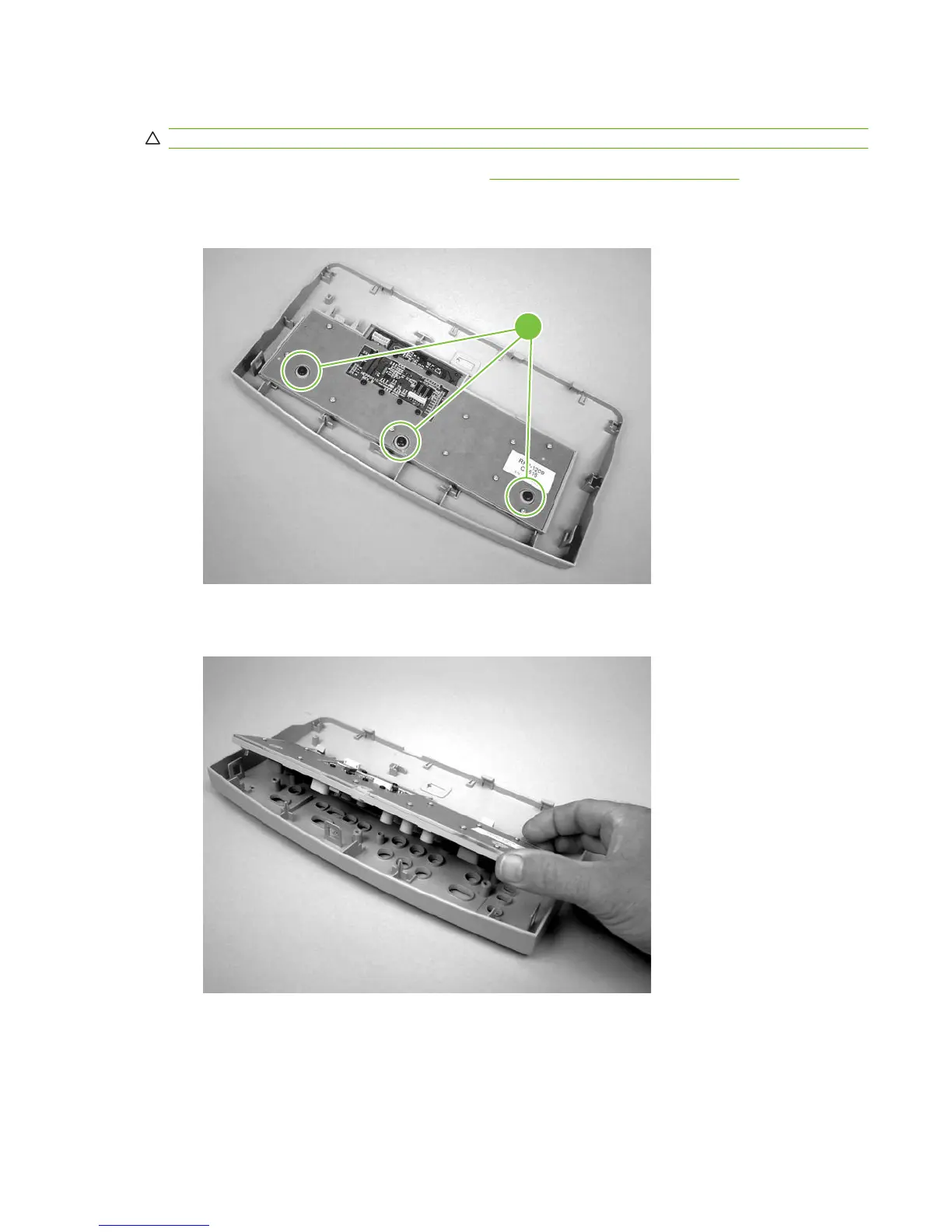
2. Remove three screws (callout 1).
Figure 6-14 Removing the control-panel assembly (1 of 2)
1
3. Rotate the control-panel button assembly away from the control-panel cover and remove it.
Figure 6-15 Removing the control-panel assembly (2 of 2)
ENWW Scanner assemblies 81



 To Next Page