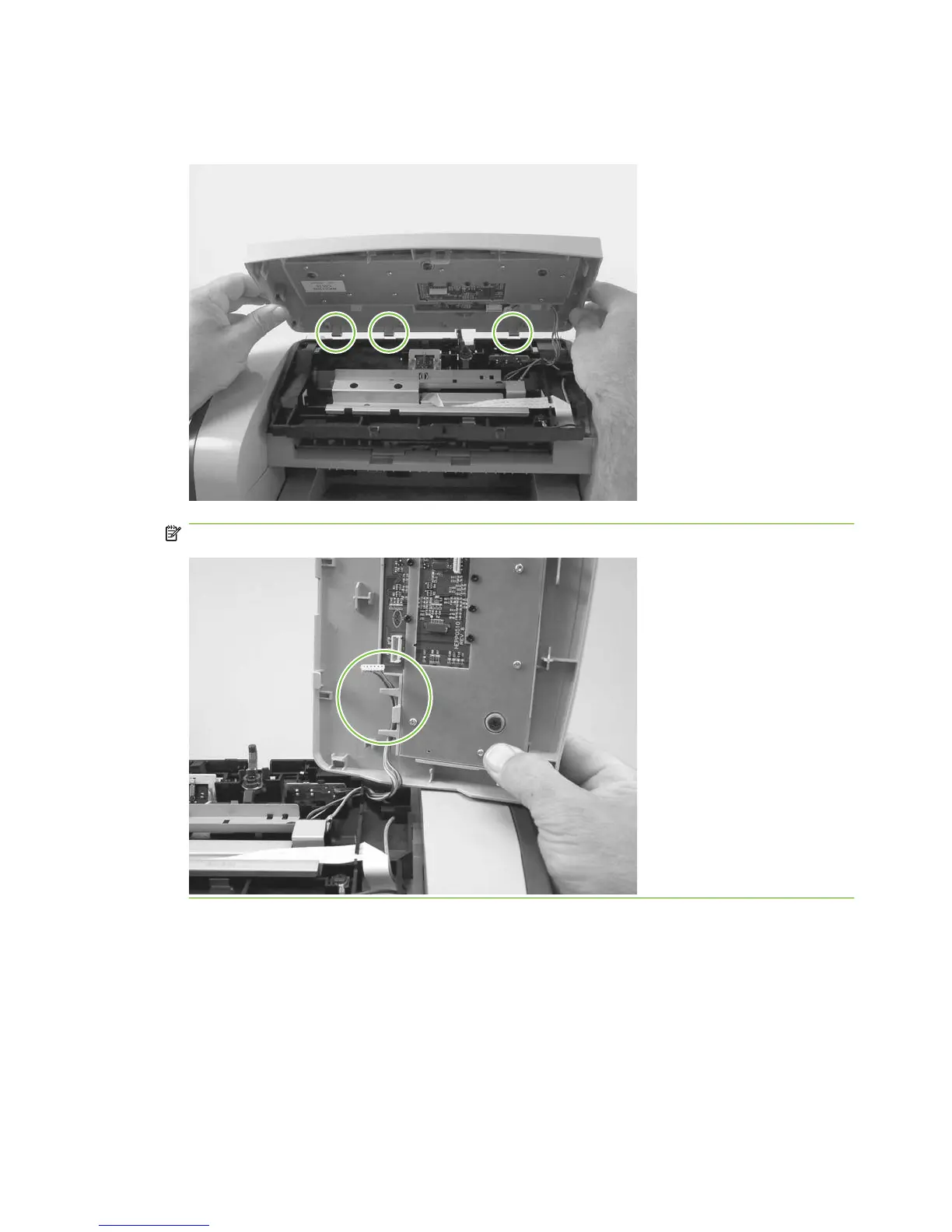
3. Slightly open the ADF assembly, and then push the top cover toward the back of the product to
release the three rear locking tabs. Remove the top cover.
Figure 6-13 Removing the top cover, control panel (3 of 3)
NOTE: You must release the wire harness from two retainers on the top cover.
80 Chapter 6 Removal and replacement ENWW



 To Next Page