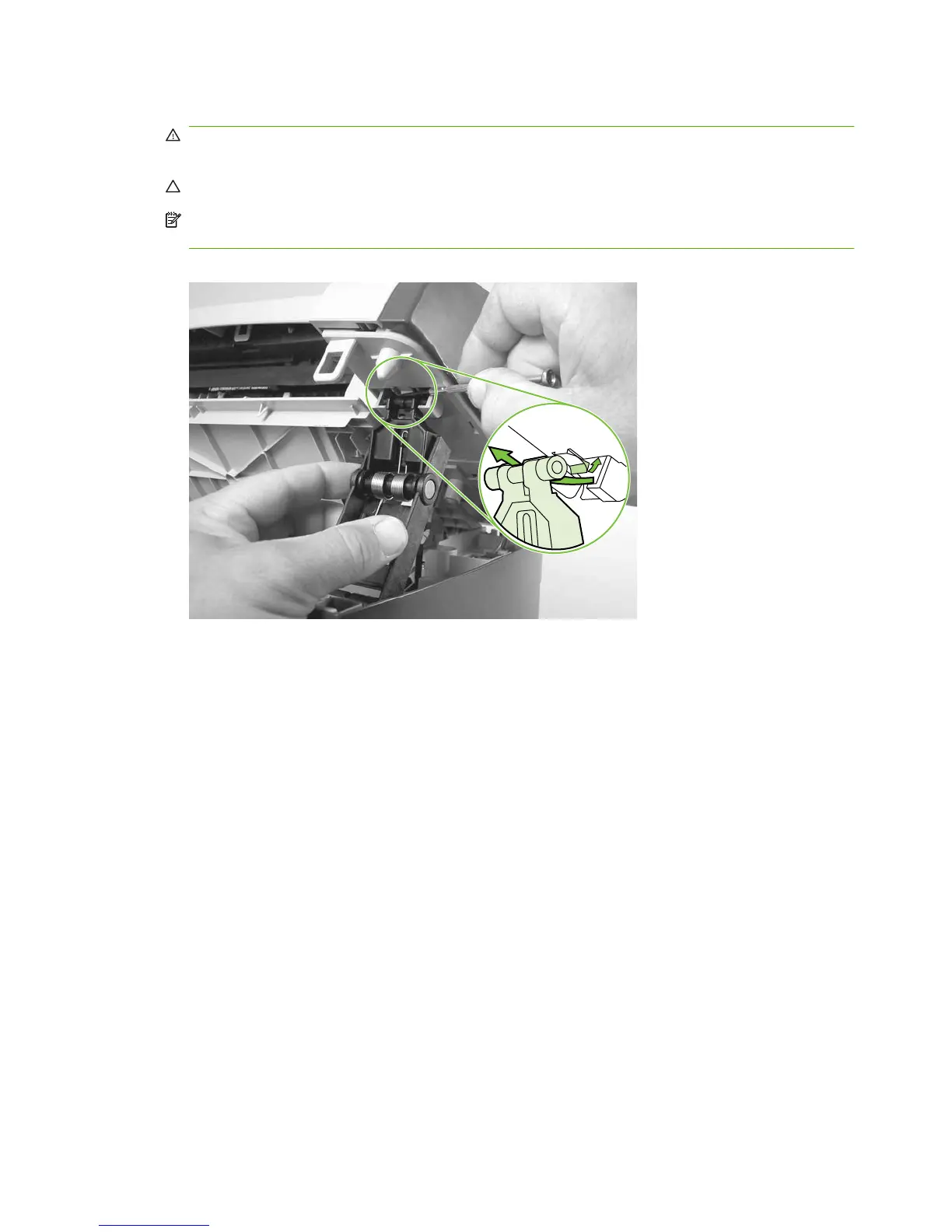
11. Use a small flat-blade screwdriver to release the link tabs on each link assembly.
WARNING! When the link assemblies are disengaged, the scanner assembly can easily fall off
of the product base if it is rotated too far towards the back of the product.
CAUTION: Do not push too hard on the link tabs or the tabs might break.
NOTE: it is not necessary to completely remove the link arms. However, the link arms are not
captive when they are disengaged from the scanner assembly.
Figure 6-30 Removing the scanner assembly (11 of 14)
90 Chapter 6 Removal and replacement ENWW



 To Next Page