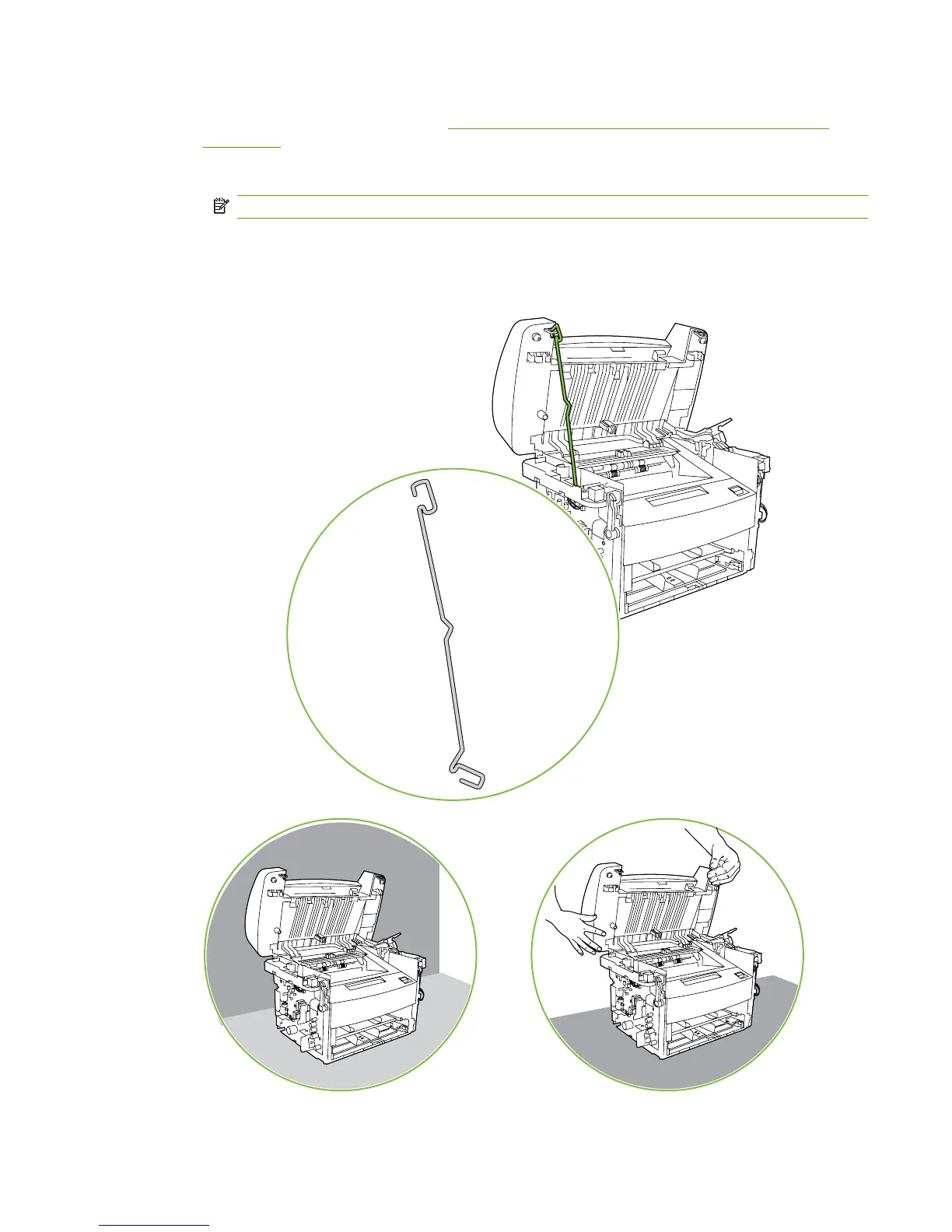
12. Use one of the following three separate methods to support the scanner assembly so that it does
not fall off of the product base. See
Figure 6-31 Removing the scanner assembly (12 of 14)
on page 91.
A ) Use the HP scanner-hinge tool (part number: 5185-7441).
NOTE: Remove the left-side link before using the scanner-hinge tool.
B) Rest the scanner assembly against a wall.
C) Rest the scanner assembly against your chest.
Figure 6-31 Removing the scanner assembly (12 of 14)
A
BC
ENWW Scanner assemblies 91



 To Next Page