Top-cover assembly
1. Remove the following assemblies:
●
Scanner assembly. See
Scanner assembly on page 85.
●
Scanner assembly top cover. See
Scanner assembly top cover on page 93.
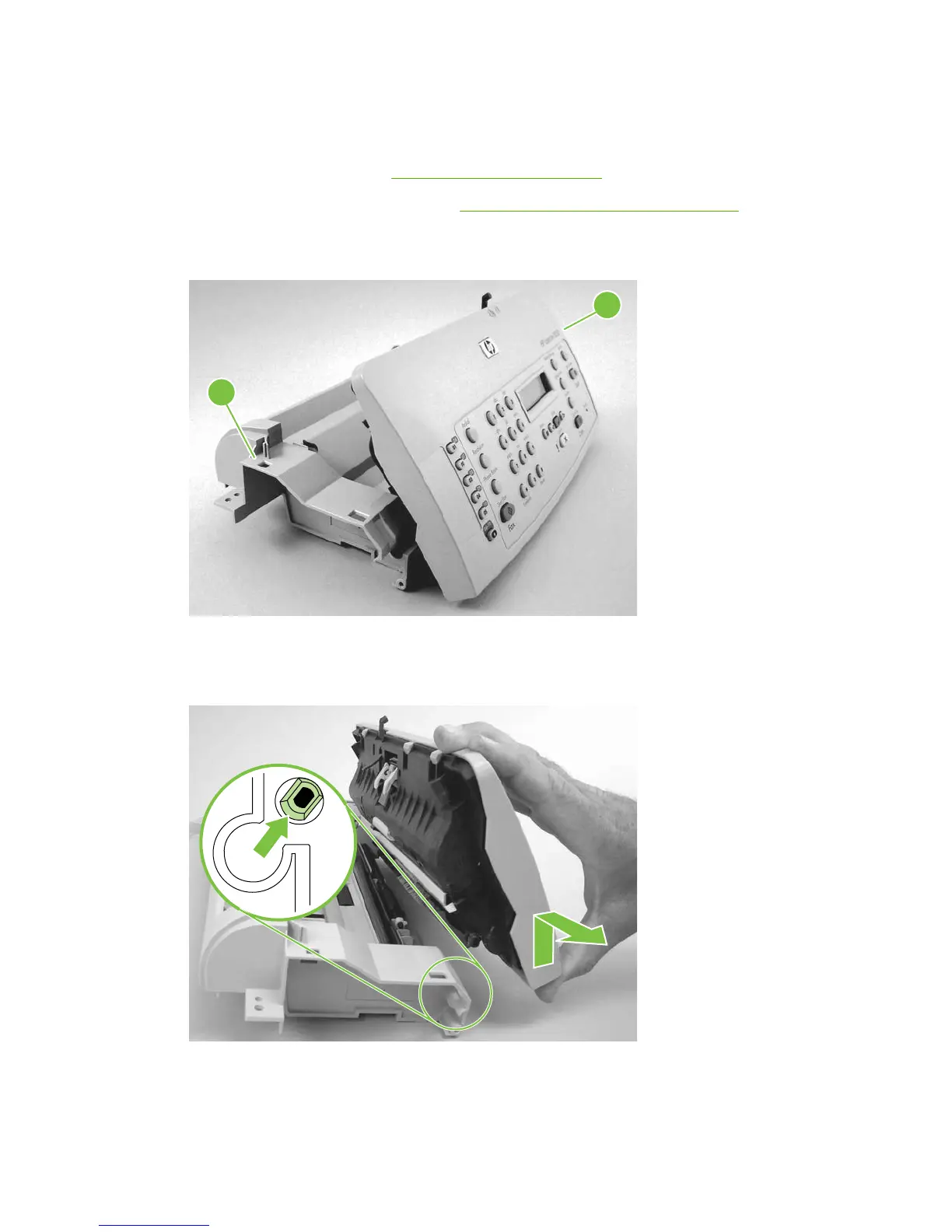
2. Rotate the top-cover assembly (callout 1) away from the frame assembly (callout 2).
Figure 6-38 Removing the top-cover assembly (1 of 2)
1
2
3. Pull the left-end hinge out of the slot in the frame assembly, and slide the top cover to the left until
the right-side hinge clears the hole in the frame assembly. Remove the top cover.
Figure 6-39 Removing the top-cover assembly (2 of 2)
96 Chapter 6 Removal and replacement ENWW



 To Next Page