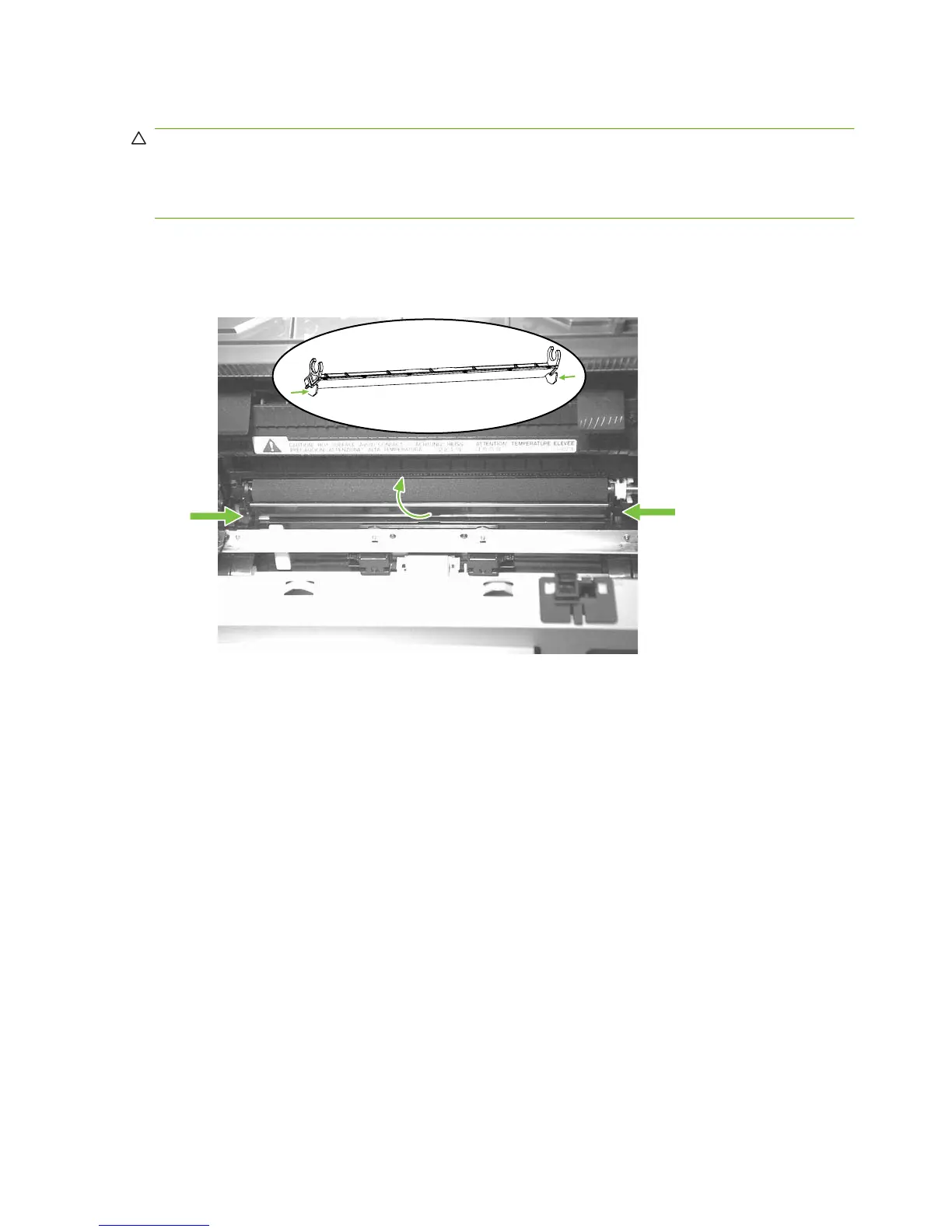
Transfer roller
CAUTION: Do not touch the black-sponge portion of the transfer roller. Skin oils deposited on the
transfer roller might cause print-quality problems.
Be very careful not to break the paper guide that is removed when replacing the transfer roller. Because
the paper guide is not a FRU, the entire product will have to be replaced.
1. Open the print-cartridge door and remove the print cartridge.
2. Release the two locking tabs on the paper guide and rotate the guide up.
Figure 6-58 Removing the transfer roller (1 of 3)
108 Chapter 6 Removal and replacement ENWW



 To Next Page