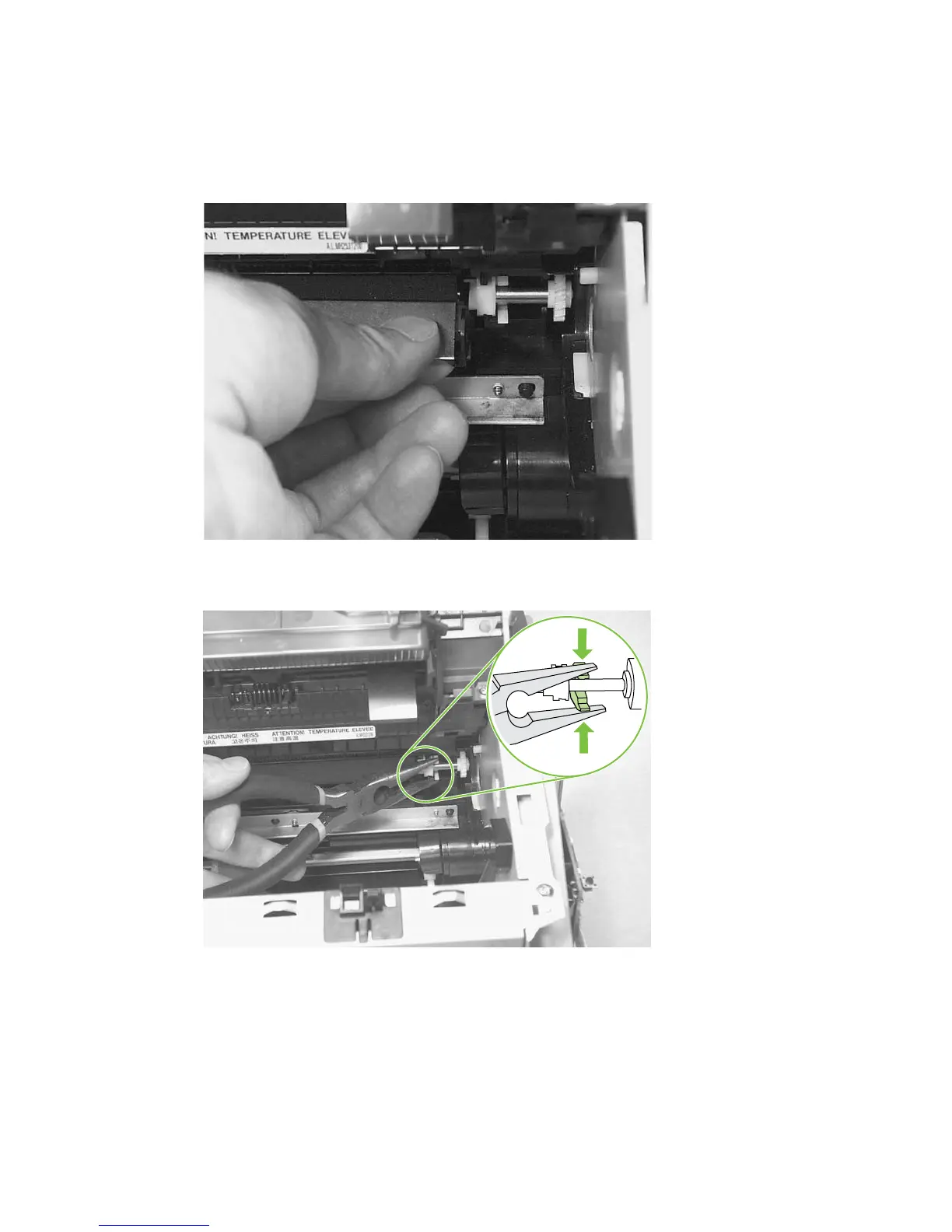
3. The clamps on the paper guide fit over the bearings on each end of the transfer roller. Do not touch
the black-sponge portion of the transfer roller. Grasp the right end of the paper guide and pull the
clamp off the bearing on the right side of the transfer roller. Then slide the clamp slightly to the
right, and the left clamp will slide off the left bearing.
Figure 6-59 Removing the transfer roller (2 of 3)
4. Squeeze the two small tabs on the transfer roller.
Figure 6-60 Removing the transfer roller (3 of 3)
ENWW Product base 109



 To Next Page