Rear cover and fuser cover
1. Remove the right-side and left-side covers. See Side covers on page 110.
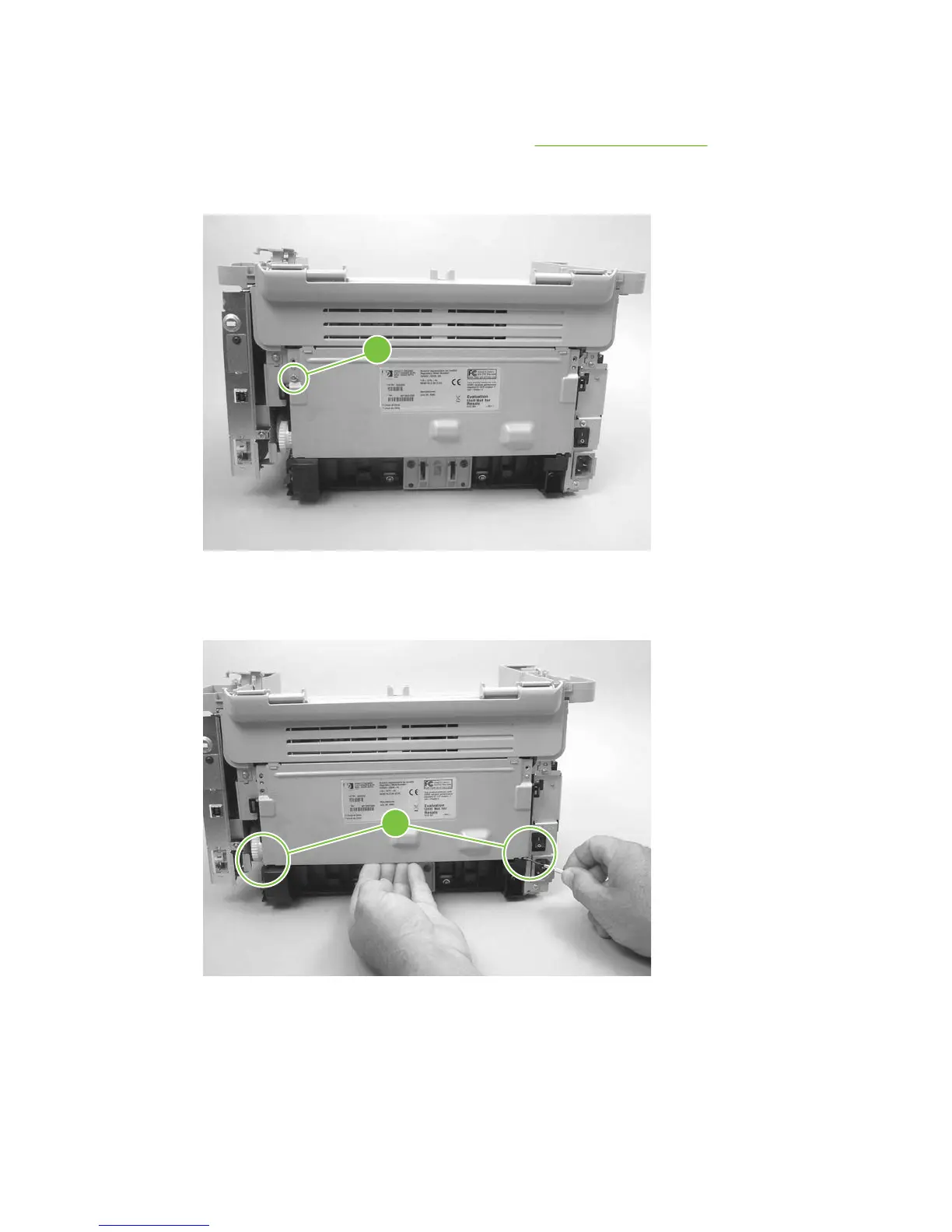
2. Remove one screw (callout 1).
Figure 6-67 Removing the rear cover and fuser cover (1 of 3)
1
3. Release the two rear-cover locking tabs (callout 2). Rotate the bottom of the rear cover up and
away from the product, and remove it.
Figure 6-68 Removing the rear cover and fuser cover (2 of 3)
2
ENWW Product base 113



 To Next Page