Print-cartridge door
1. Remove the scanner assembly. See Scanner assembly on page 85.
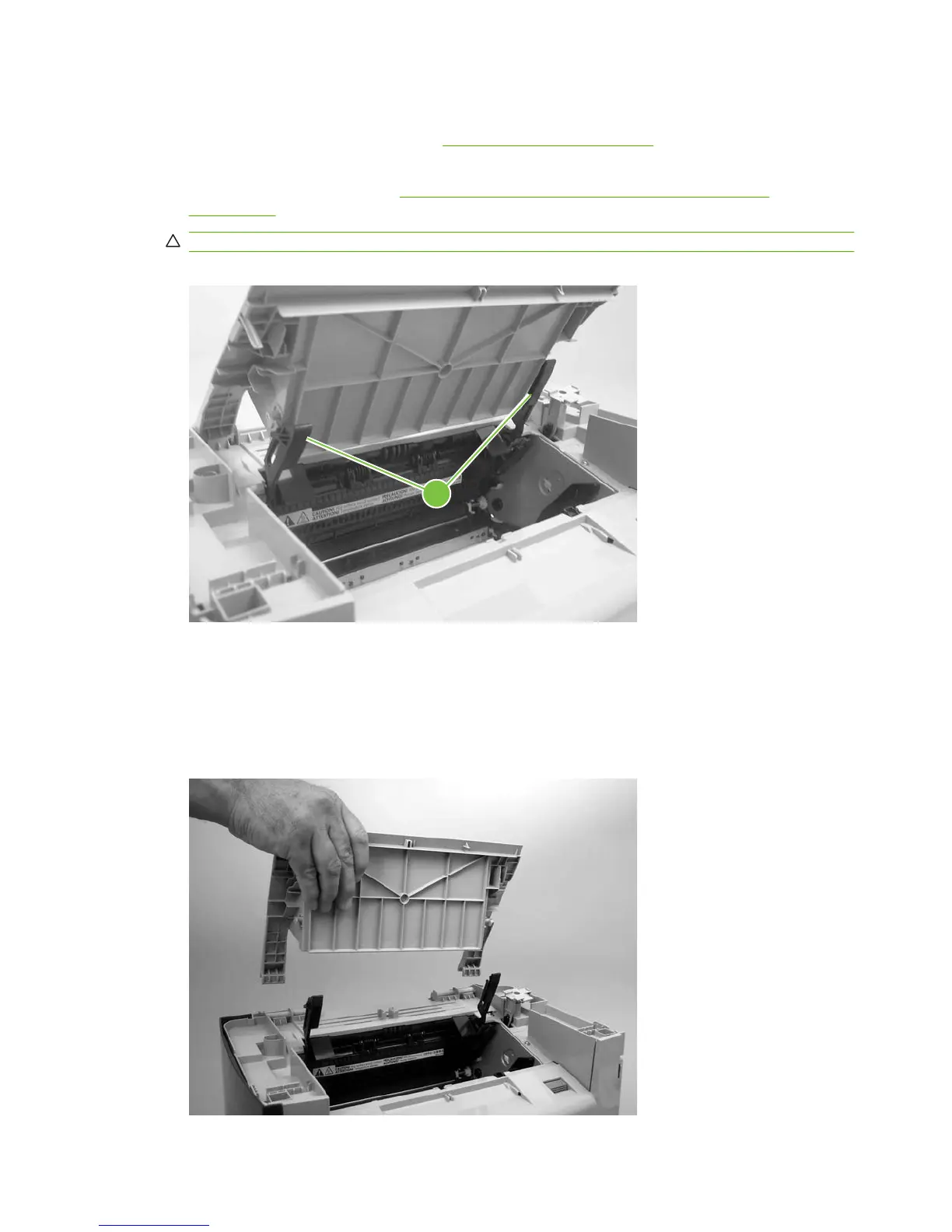
2. Fully open the print-cartridge door and gently pull downward on both print-cartridge swing arms
(callout 1) to release them. (In
Figure 6-65 Removing the print-cartridge door (1 of 2)
on page 112, the left arm is disengaged).
CAUTION: Be careful when releasing the swing arms. They can easily break.
Figure 6-65 Removing the print-cartridge door (1 of 2)
1
3. Rotate the door toward the back of the product and then lift it up and off of the product.
Figure 6-66 Removing the print-cartridge door (2 of 2)
112 Chapter 6 Removal and replacement ENWW



 To Next Page