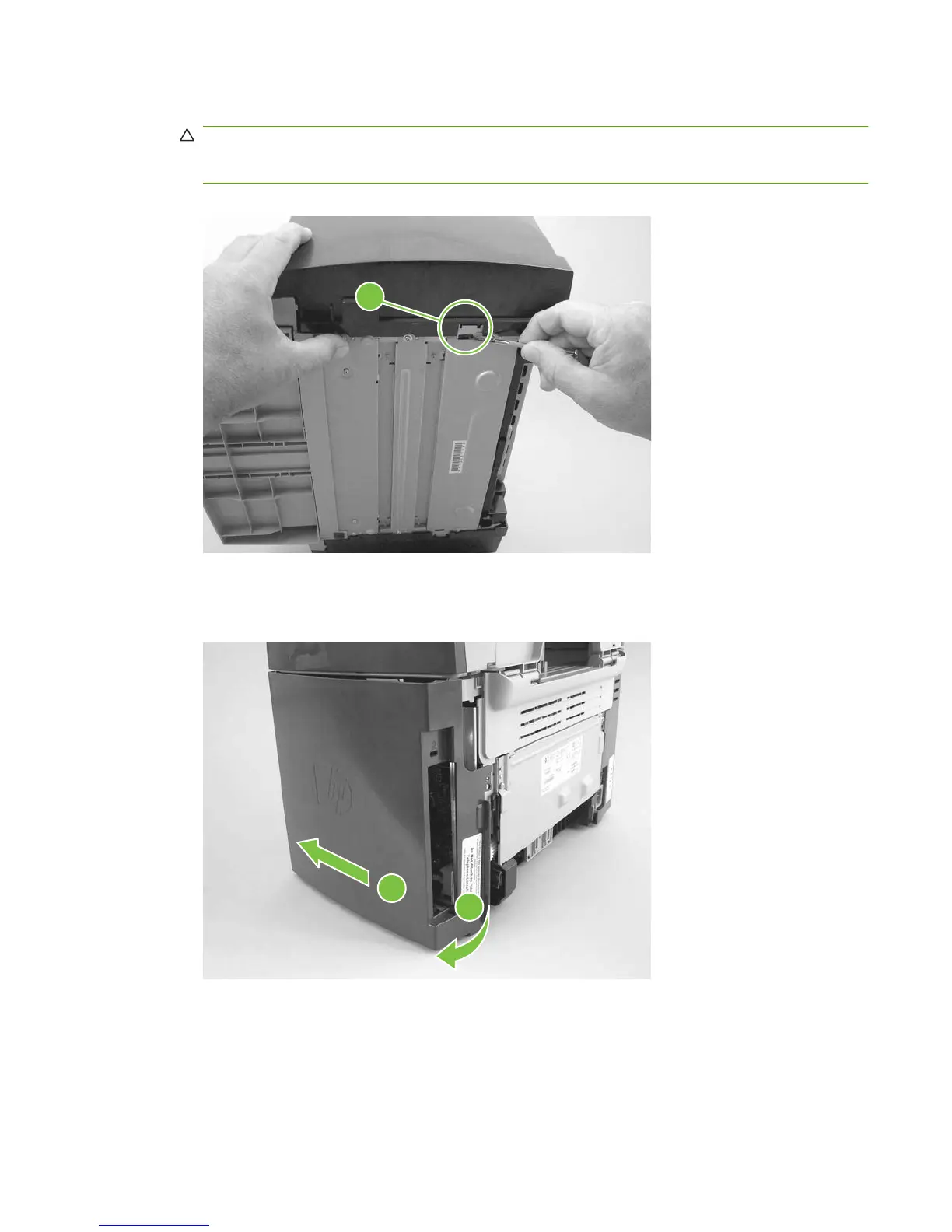
3. Release the bottom tab (callout 2).
CAUTION: When removing the left-side cover, hang the product off of the table to gain access
to the bottom tab. This prevents the I/O shield from being damaged if the right-side cover is off and
the product is tilted too far up.
Figure 6-63 Removing the side covers (3 of 4)
2
4. Slightly rotate the back side of the right cover away from the product, and then slide it toward the
front of the product to release it.
Figure 6-64 Removing the side covers (4 of 4)
2
1
ENWW Product base 111



 To Next Page