Front cover
1. Remove the right-side and left-side covers. See Side covers on page 110.
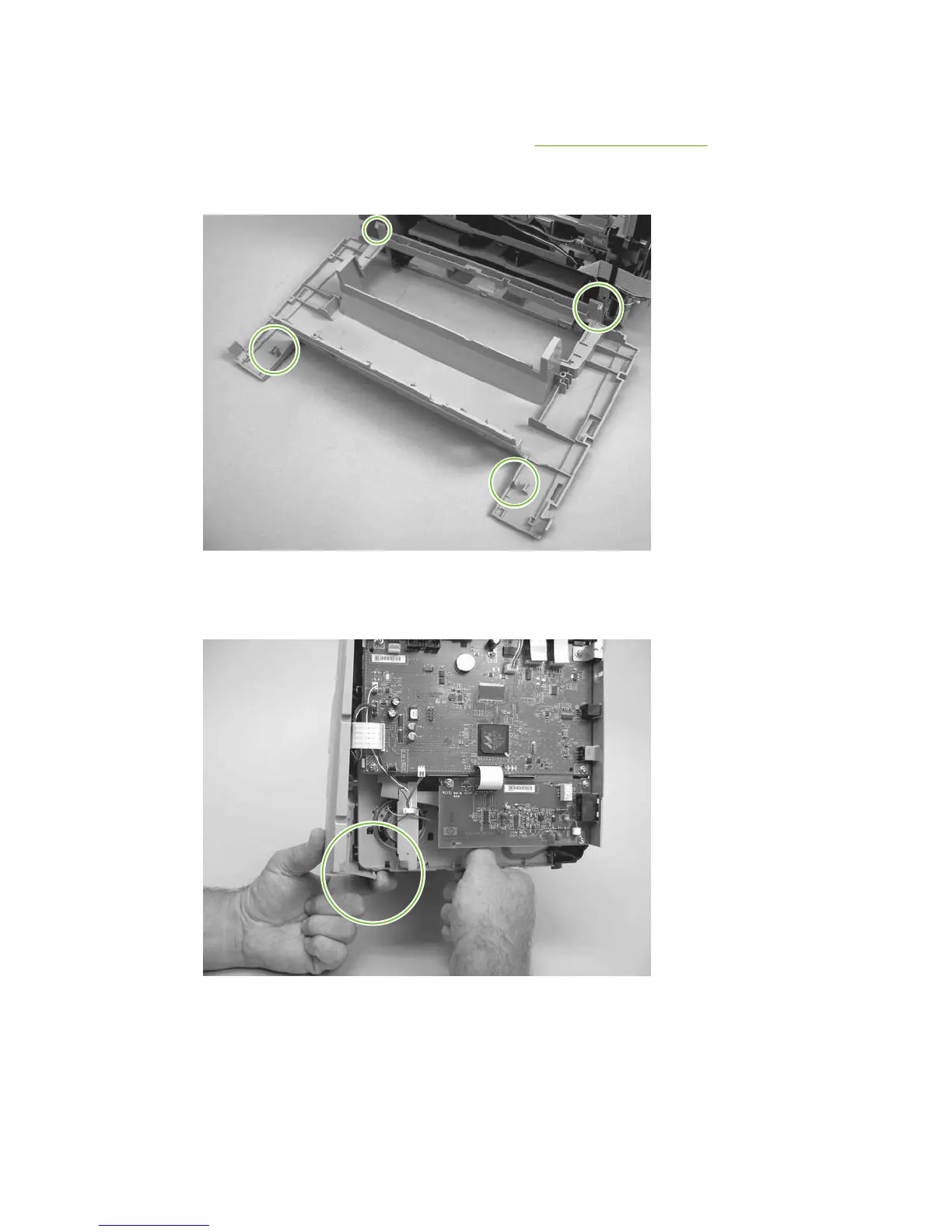
2. Before you begin, note the locations of the locking tabs on the back of the cover.
Figure 6-70 Removing the front cover (1 of 5)
3. Release the locking tab on the lower-right-side front cover and slightly pry the lower-right corner
of the front cover away from the product.
Figure 6-71 Removing the front cover (2 of 5)
ENWW Product base 115



 To Next Page