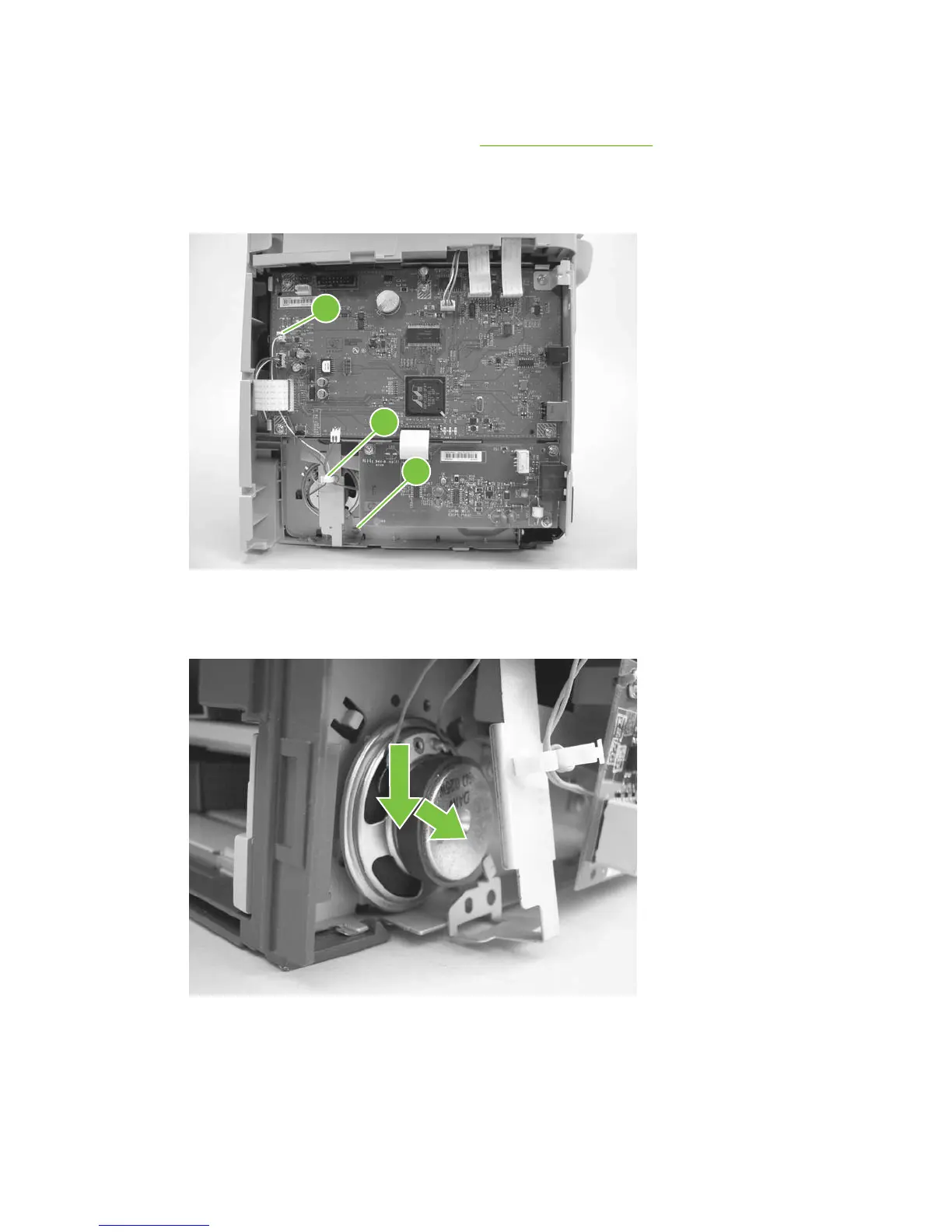
Speaker assembly
1. Remove the right-side product cover. See Side covers on page 110
2. Disconnect one wire-harness connector (callout 1), unclip one wire retainer (callout 2), and then
remove one screw (callout 3).
Figure 6-75 Removing the speaker assembly (1 of 2)
1
2
3
3. Carefully pry the sheet-metal brace away from the product chassis. Slide the speaker down and
slightly to the right to release it from the retaining clips on the product chassis.
Figure 6-76 Removing the speaker assembly (2 of 2)
118 Chapter 6 Removal and replacement ENWW



 To Next Page