Power supply
1. Remove the rear cover and fuser cover. See Rear cover and fuser cover on page 113.
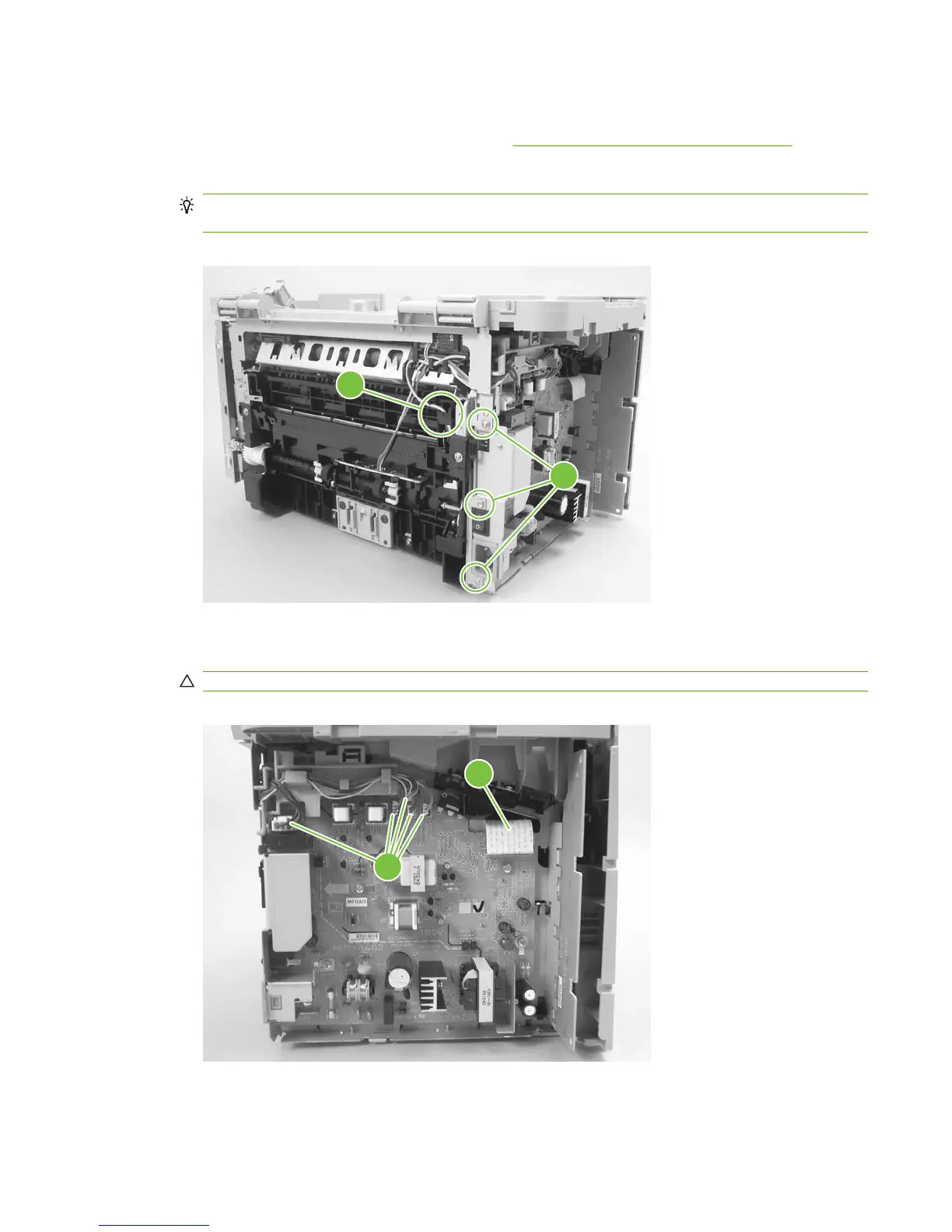
2. Disconnect one spade connector (callout 1) and remove three screws (callout 2).
Reinstallation tip The center screw in callout 2 is a ground screw and is different from the others.
When reinstalling the power supply, make sure that this screw is used in the center hole.
Figure 6-77 Removing the power supply (1 of 5)
1
2
3. Disconnect one FFC (callout 3) and five wire-harness connectors (callout 4) and remove them from
the wire loom.
CAUTION: Do not bend or fold the FFCs during the removal or reinstallation process.
Figure 6-78 Removing the power supply (2 of 5)
4
3
ENWW Product base 119



 To Next Page