Formatter and fax card
CAUTION: The formatter and fax card are ESD-sensitive devices.
1. Remove the right cover. See Side covers on page 110.
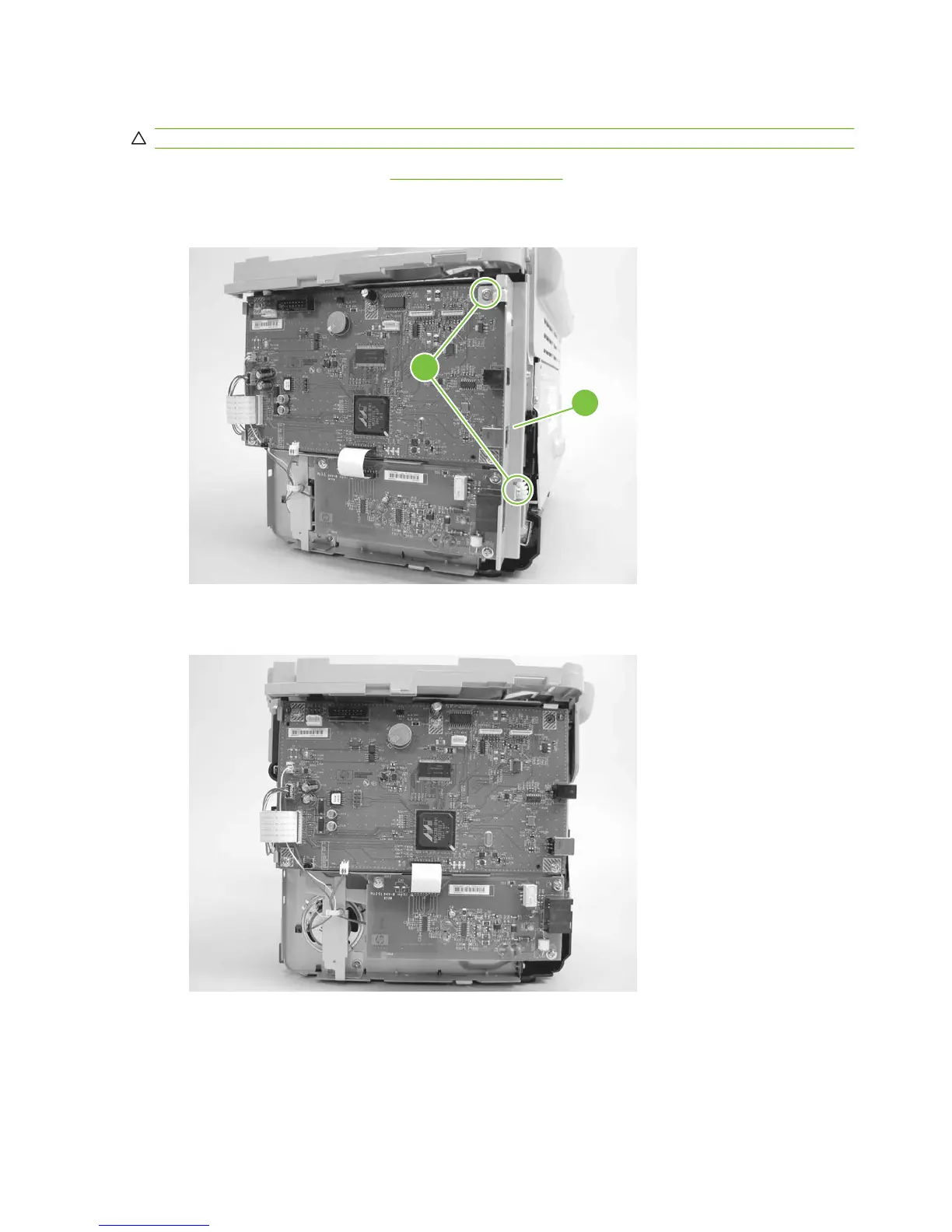
2. Remove two screws (callout 1) and the I/O shield (callout 2).
Figure 6-82 Removing the formatter (1 of 4)
2
1
3. Disconnect all of the connectors on the formatter.
Figure 6-83 Removing the formatter (2 of 4)
122 Chapter 6 Removal and replacement ENWW



 To Next Page