Separation-pad set
NOTE: The separation-pad set and the separation-pad assembly are two different assemblies.
The separation-pad set consists of the pad, clear plastic sheet, and the pad cover. The separation-pad
set is a user-replaceable assembly.
The separation-pad assembly consists of the separation lever, tension spring, feed arm, and the
components of the separation-pad set. The separation-pad assembly is not a user-replaceable
assembly.
Only trained service personnel should attempt to replace the separation-pad assembly.
1. Open the scanner top cover.
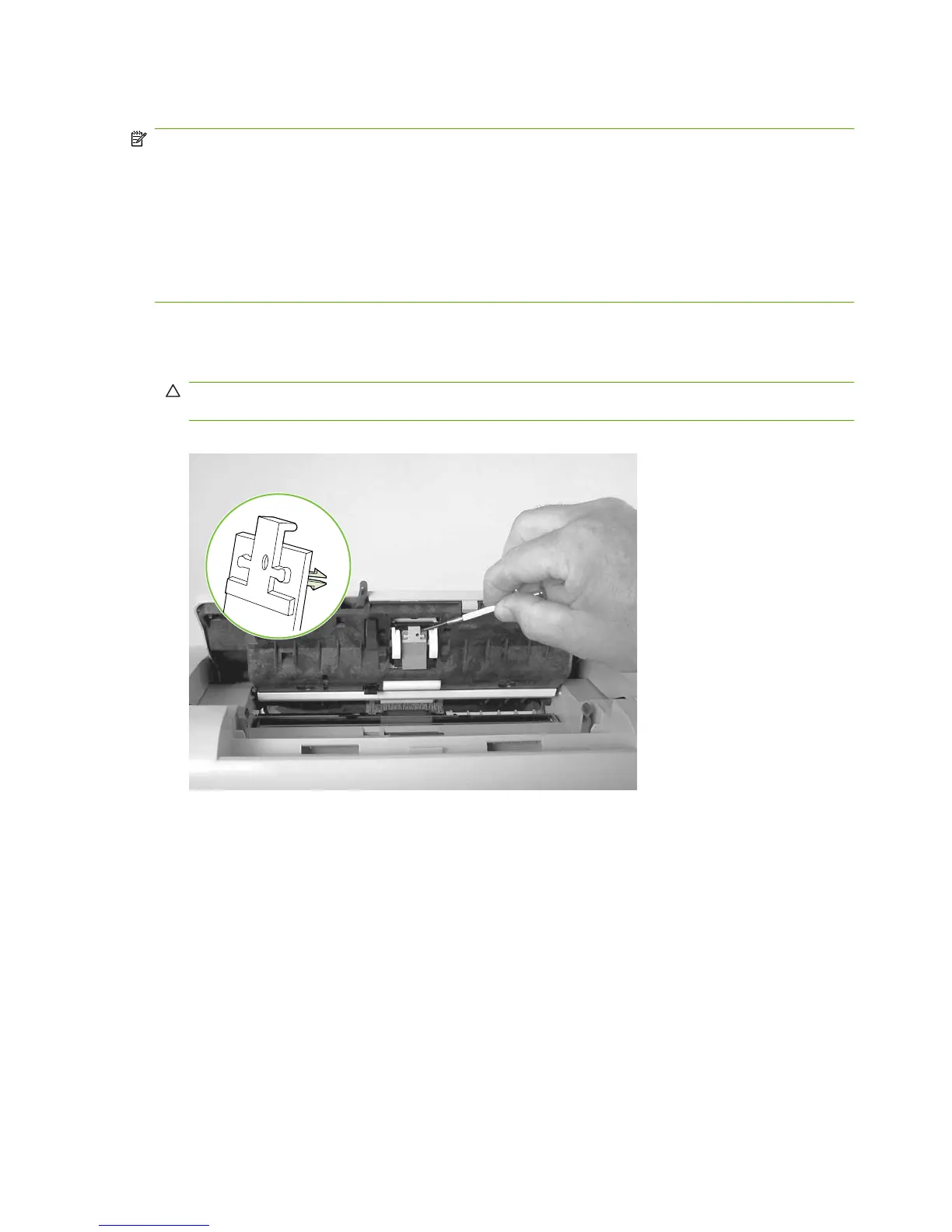
2. Carefully pry the separation-pad set away from the guide assembly.
CAUTION: When installing the replacement pad, be careful not to bend or break the retainer-clip
pins.
Figure 6-10 Removing the separation pad
78 Chapter 6 Removal and replacement ENWW



 To Next Page