Fax PCA
NOTE: HP LaserJet Professional M1210 MFP series only.
Before proceeding, remove the following components:
●
Paper-delivery tray. See
Paper-delivery tray (output bin extension) on page 21.
●
Left cover. See
Left cover on page 22.
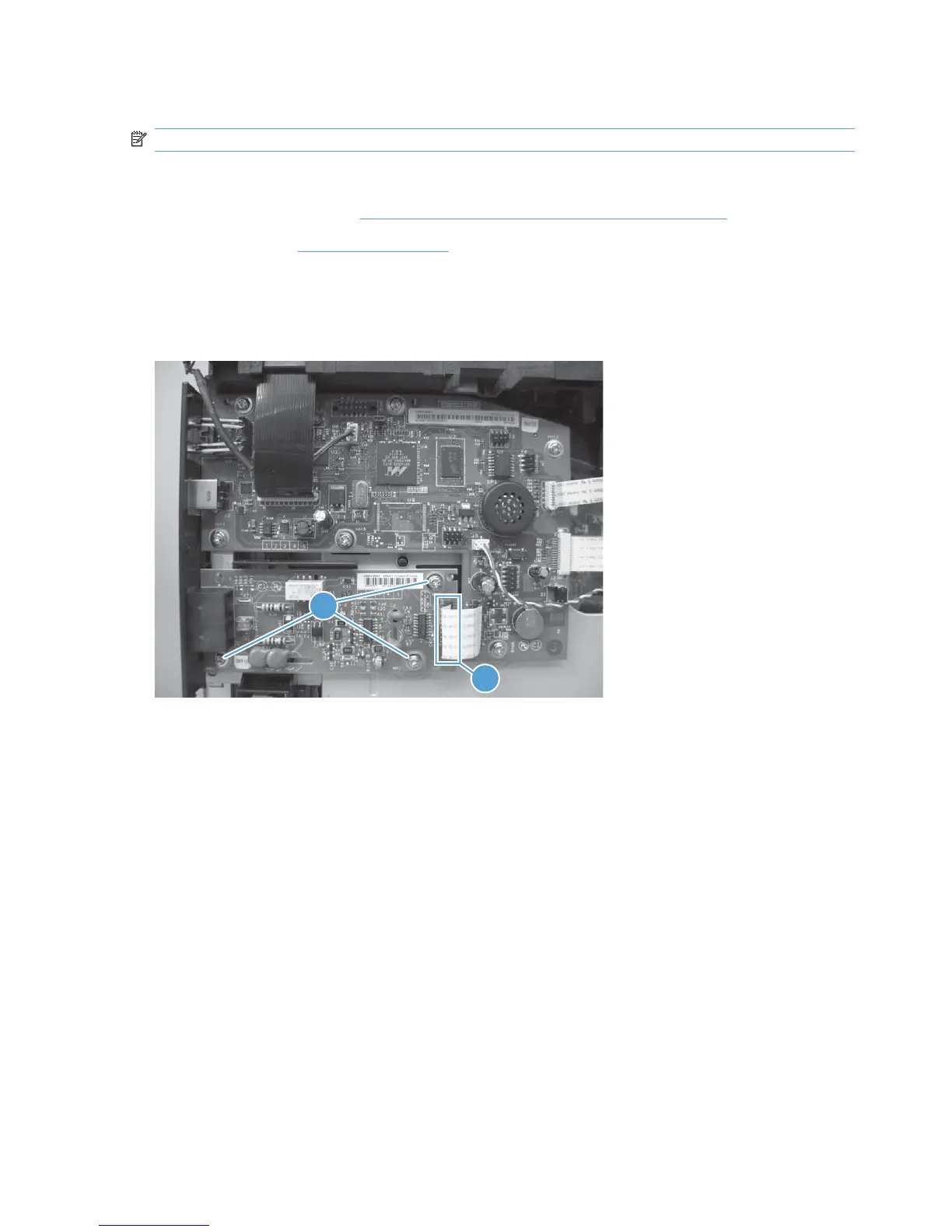
Remove the Fax PCA
Disconnect one FFC (callout 1), remove three screws (callout 2), and then remove the PCA.
Figure 1-101 Remove the Fax PCA
2
1
70 Chapter 1 Removal and replacement ENWW



 To Next Page