Ping 103
Ping
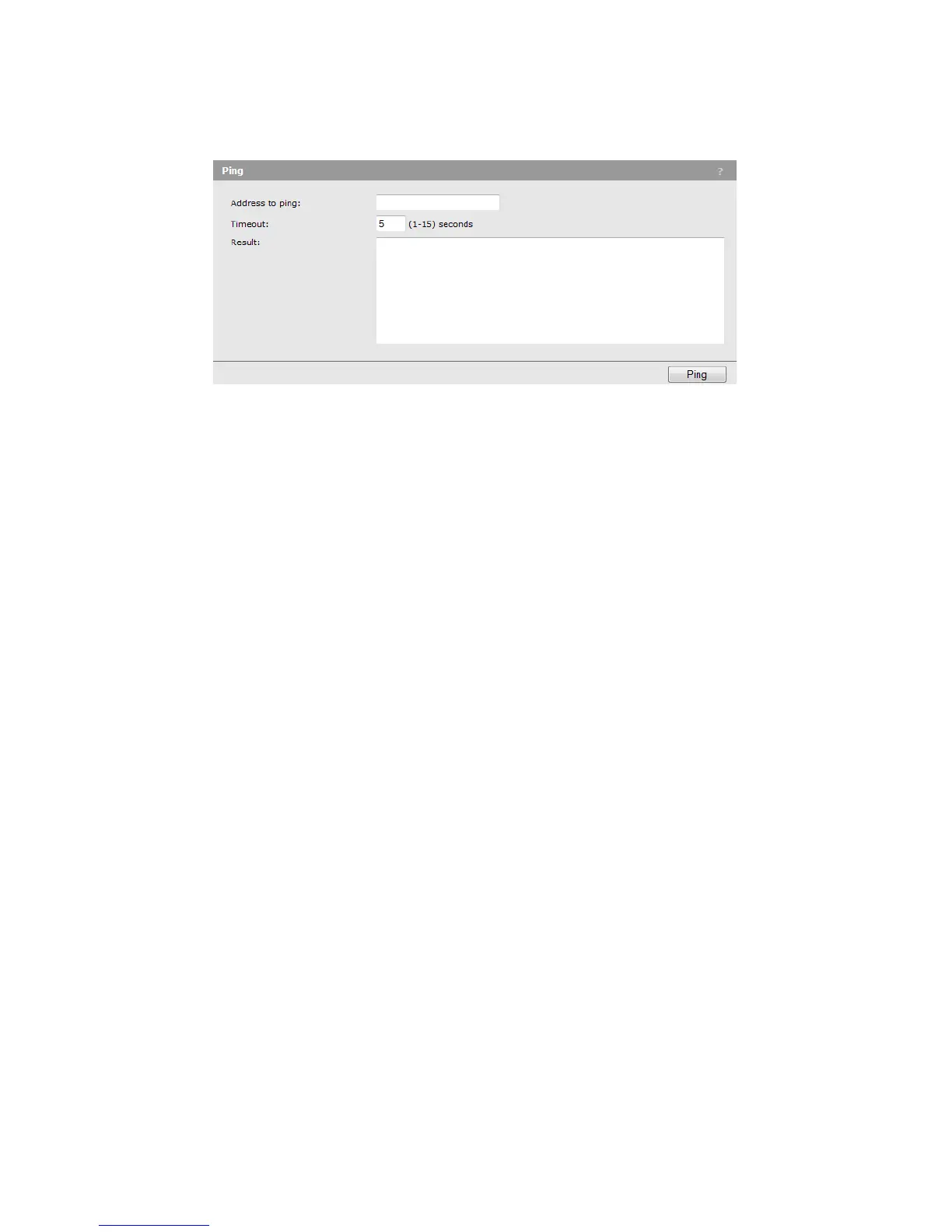
The M220 supports ping functionality to enable basic diagnostics of network devices. To ping
another device, select Tools > Ping.
Address to ping
You can specify an IPv4 address, an IPv6 address, or a hostname.
Timeout
Specify the amount of time in seconds after which an unsuccessful ping will time out.
Results
The results window shows the size and number of each packet sent and, if the host is reached,
the size and number of each packet received in response and its round-trip time. It also displays
statistics about packet loss and, if the host is reached, the average round-trip time for all
packets.



 To Next Page