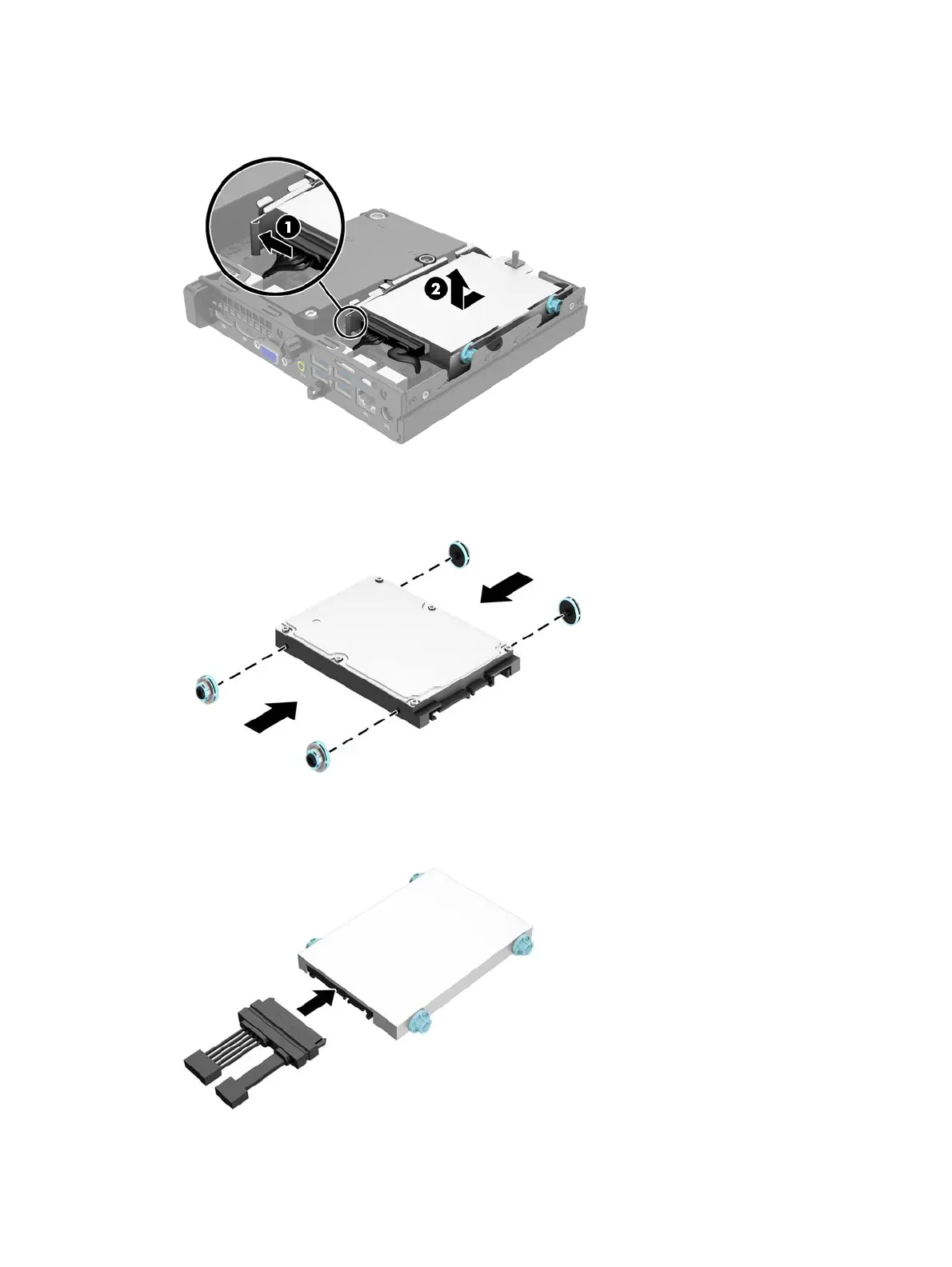
8. Pull the release lever next to the rear of the hard drive outward (1). While pulling the release lever
out, slide the drive back until it stops, then lift the drive up and out of the bay (2).
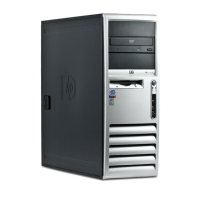
9. To install a hard drive, you must transfer the silver and blue isolation mounting guide screws from
the old hard drive to the new hard drive.
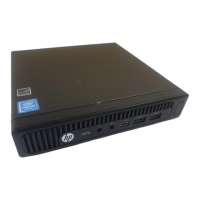
10. Transfer the drive cables from the old drive to the new drive.
10 Chapter 2 Hardware upgrades











 To Next Page