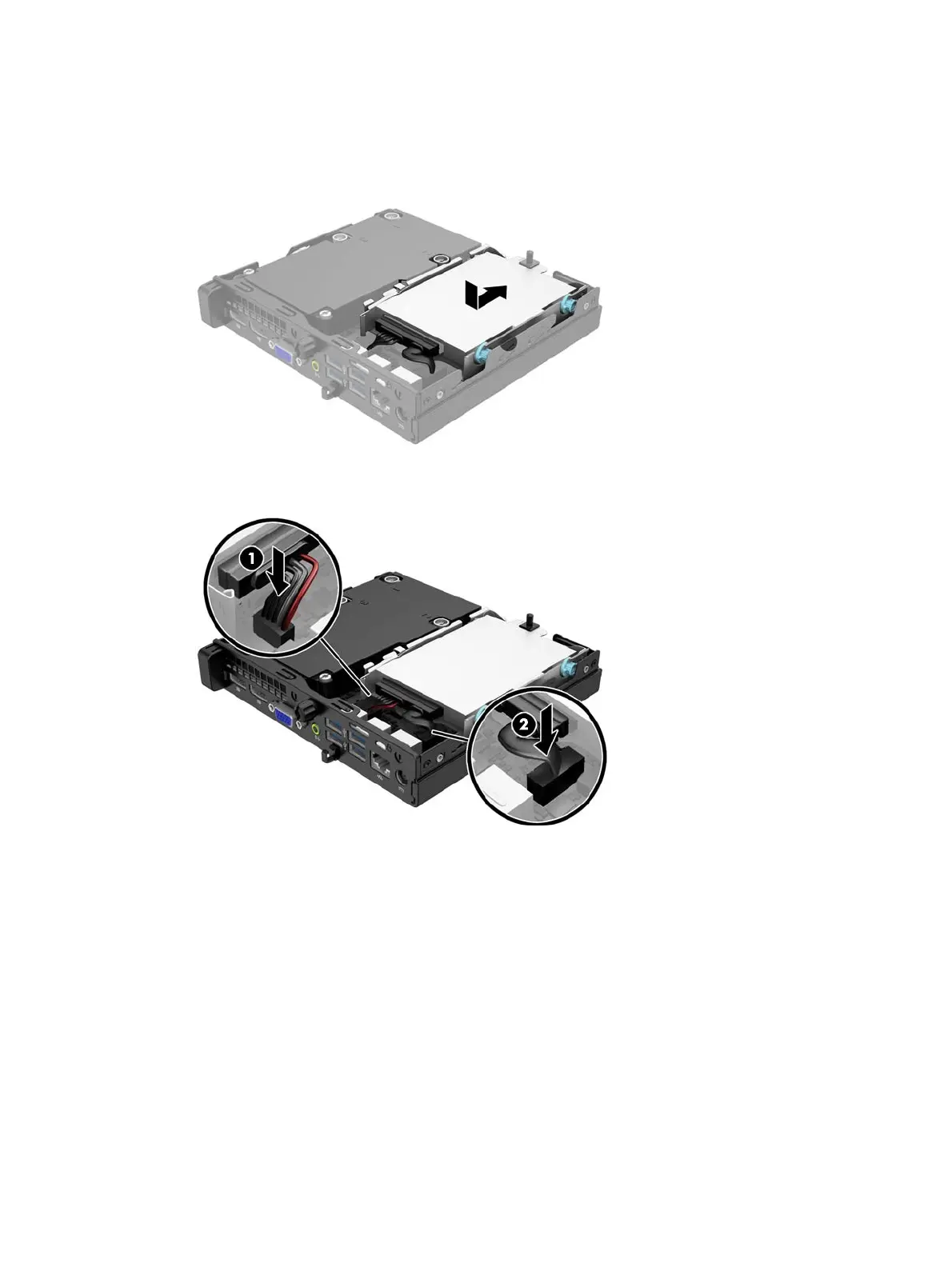
11. Align the guide screws with the slots on the chassis drive cage, press the hard drive down into the
bay, then slide it forward until it stops and locks in place.
12. Connect the hard drive power cable (1) and data cable (2) to the system board.
13. Replace the access panel.
14. If the computer was on a stand, replace the stand.
15. Reconnect the power cord and turn on the computer.
16. Lock any security devices that were disengaged when the access panel was removed.
Removing and replacing a hard drive
11











 To Next Page