1
Unpack and inspect the array hardware.
Save the original packaging.
3
4
5
7
Hewlett Packard Enterprise Development LP. • 211 River Oaks Parkway, San Jose, CA 95134 • support@nimblestorage.com • +1.408.432.9600
2
Important!
• Before beginning, download and read the Release Notes, available at
https://infosight.hpe.com/.
Type your email address and password, and click Login.
If you do not have a password, click New user? Enroll now.
• The CS Series power supplies are 220VAC or 110VAC auto-
detecting.
• This product is intended for installation in restricted-access locations
only, such as a dedicated equipment room or an electrical closet.
If you are installing more than one Nimble array, download and
read the Nimble Storage Installation Guide, available at
https://infosight.hpe.com/.
eth1 eth2
fc5 fc6
eth3 eth4
p1
p2
eth5
eth3
eth6
eth4
eth1 eth2
p1
p2
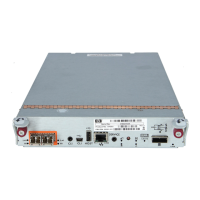
Controller with 10GBaseT ports Controller with both 10GbE optical and Fibre Channel ports
What you need for each array
• 19-inch four-post square-hole rack
• 3U space available in the 19-inch rack
• Phillips screwdriver
• At least four CAT 6 Ethernet cables
• Depending on your array, at least two switches (10GbE
network or Fibre Channel) are recommended.
• Two power outlets on separate circuits:
• Steady state: 5A @ 120V
• Start-up: 6A @ 120V
CAUTION!
Start-up current draw may exceed 6A.
ARRAY QUICK START GUIDE
CS235, CS300, CS500, CS700 Hardware Installation
Apply power.
Plug one power cord from each controller into a separate circuit and apply power. If the power
does not come on automatically, press the power button ( ) on the front of the array.
6
CAUTION!
The chassis weighs over 34 kg (76 lb). Always use two people or a
server lift when lifting the chassis.
1 2
chassis
rail
OPEN
OPEN
OPEN
OPEN
OPEN
OPEN
OPEN
OPEN
OPEN
OPEN
OPEN
OPEN
OPEN
OPEN
OPEN
OPEN
Model: CS200, CS40 0, ES 1
100-140 Vac, 60-50 H z, 11.5-8 A
180-240 Vac, 60-50 H z, 8-5. 5A
Assembled in the USA
I.T.E
E340293
!
!
Inner rail – Right
Set screw
Inner rail – Left
Set screw
Nimble Array
Middle rail (right)
Outer rail (right)
Front post Back post
Top hook goes into bottom hole
Cable the array.
Important!
For failover to operate correctly, the host must have connectivity to each controller.
• For iSCSI, cable the same port on each controller into the SAME network switch and subnet.
iSCSI initiators have a network path to both controllers. Connect one member of each interface pair to the same switch. If your
switches have multiple subnets congured, make sure that each interface pair is connected to switch ports on the same subnet.
• For FC, cable both controllers to Fibre Channel switches.
See the “Install the Nimble Array” chapter in the Nimble Storage Installation Guide.
Note:
If Ethernet ports are combined
with Fibre Channel ports, the
port naming (eth or fc) changes
depending on their location.
https://infosight.nimblestorage.com
Separate the inner rails from the rail assemblies.
a. Press the catch at the front end of the middle rail.
b. Slide the inner rail out of the rail assembly.
c. Repeat steps a and b on the other side.
Install the inner rails onto the array.
a. Align the holes in the inner rails with the hooks on the sides of
the chassis.
b. Slide the rails toward the front of the chassis to seat the hooks.
c. Install the set screws to secure the inner rails in position.
d. Repeat steps a, b and c on the other side.
Install the rail assemblies into the rack.
Important!
If the rack has round holes, install the provided square-hole adapter
as shown at right.
.
Note that cabinet rack holes are not evenly spaced. To ensure that
the thumbscrews align correctly, align the rack at the border of a unit.
The middle rails attach to the front posts. The outer rails attach to the
back posts.
a. Align the upper hook of the rail at the position you want.
b. Press the rail into the post and slide it down to lock it in position.
c. Repeat steps a and b on the other side. (See diagram 4c.)
Inner rail
Middle rail
Slide rails apart
Press here
Tabs point upward
1
2
3
Square holes to the inside
Top view of rack
Slide the chassis into the rack.
a. Insert the chassis into the rack, back side rst.
b. Gently slide the chassis into position.
When you hear a click, the inner rails have locked into the rail
assembly.
8
Important!
If you plan to add any Nimble ES1-Series expansion shelves, fully congure the array before you connect any shelves to it.
(Rail assemblies correctly installed in a rack.)
6
5
Secure the chassis to the rack.
The chassis has two handles. Each handle has a screw that secures
the chassis so it does not slide out of the rack.
Tighten the screw in each handle.
2
3
4
4c
1


 To Next Page
 Need help?



 General