If you have lines or dust appearing on scanned documents or faxes, clean the plastic strip
in the ADF.
To clean the rollers or separator pad
1. Remove all originals from the document feeder tray.
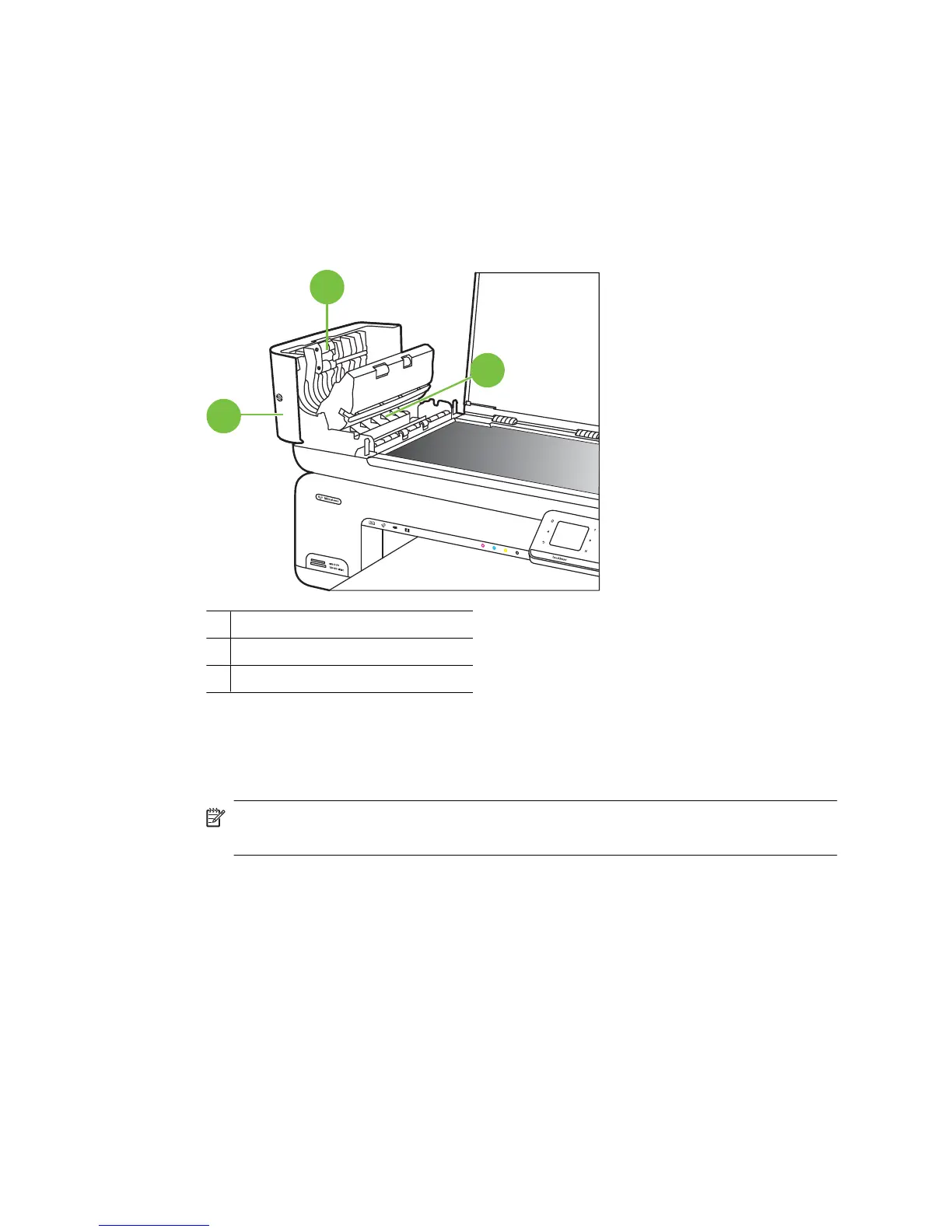
2. Lift the automatic document feeder cover (1).
This provides easy access to the rollers (2) and separator pad (3).
3
1
2
1 Automatic document feeder cover
2 Rollers
3 Separator pad
3. Lightly dampen a clean lint-free cloth with distilled water, then squeeze any excess
liquid from the cloth.
4. Use the damp cloth to wipe any residue off the rollers or separator pad.
NOTE: If the residue does not come off using distilled water, try using isopropyl
(rubbing) alcohol.
5. Close the cover of the automatic document feeder.
Chapter 1
28 Get started



 To Next Page