Introducing the OmniBook PC
Taking Inventory
8 Setup Guide
Taking Inventory
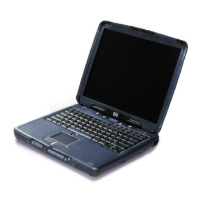
• HP OmniBook PC.
• Main battery.
• AC adapter and power cord.
• Telephone cord.
• Quick Start sheet.
• The HP OmniBook PC Setup Guide.
• OmniBook Recovery CD (or CDs), used to restore Windows 98 and all software
included with your computer.
• Microsoft Windows 98 manual.
Software bundled on your computer
Your OmniBook comes with a selection of the software listed here. Various models are
configured with different combinations of software.
Software Function
QuickLink III Permits fax transfer to fax machines and fax software—and permits
data transfer.
VirusScan Protects your computer from files that can be harmful.
Electronic Registration Permits quick and easy registration of your computer. See “To register
your computer ” on page 19 for details.
Adobe Acrobat Reader Allows you to read documents in Acrobat format, which is used
frequently on the Web.
HP DiagTools Provides hardware diagnostic tests.
AudioRack CD Player Controls play of audio CDs.
MusicMatch Jukebox Controls play of MP3 music files.
Ravisent Cinemaster or
Mediamatics
For computers with a DVD drive, controls DVD play.
HP TopTools Allows administrators to manage networked systems.



 To Next Page