Introducing the OmniBook PC
Taking Inventory
Setup Guide 9
To find more information
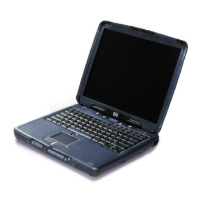
Congratulations! Your OmniBook PC sets a new standard in personal computing. It is
compact and easy to carry, and is infused with the quality and attention to detail that are
the hallmark of Hewlett-Packard.
The OmniBook PC Quick Start sheet shows how to get your computer up and running
quickly. This Setup Guide shows how to set up and operate your computer and where to
go for help if you run into trouble.
This table lists other sources of information about your computer.
Source Description
OmniBook User’s Guide
The User's Guide is a help file located on your hard drive. It provides you
with detailed information about your OmniBook PC (Start, Programs,
OmniBook Library—or double-click the desktop icon).
OmniBook Notes
This document contains late-breaking information available after the
manuals were completed (Start, Programs, OmniBook Library—or double-
click the desktop icon).
Introductory Microsoft
manual for Windows 98.
This manual contains information about using the standard features of
Microsoft Windows 98.
OmniBook Web site
www.hp.com/omnibook
HP Customer Care Web site
www.hp.com/cposupport



 To Next Page