Cabling the P6300 EVA enclosure while offline
1. Power down the array.
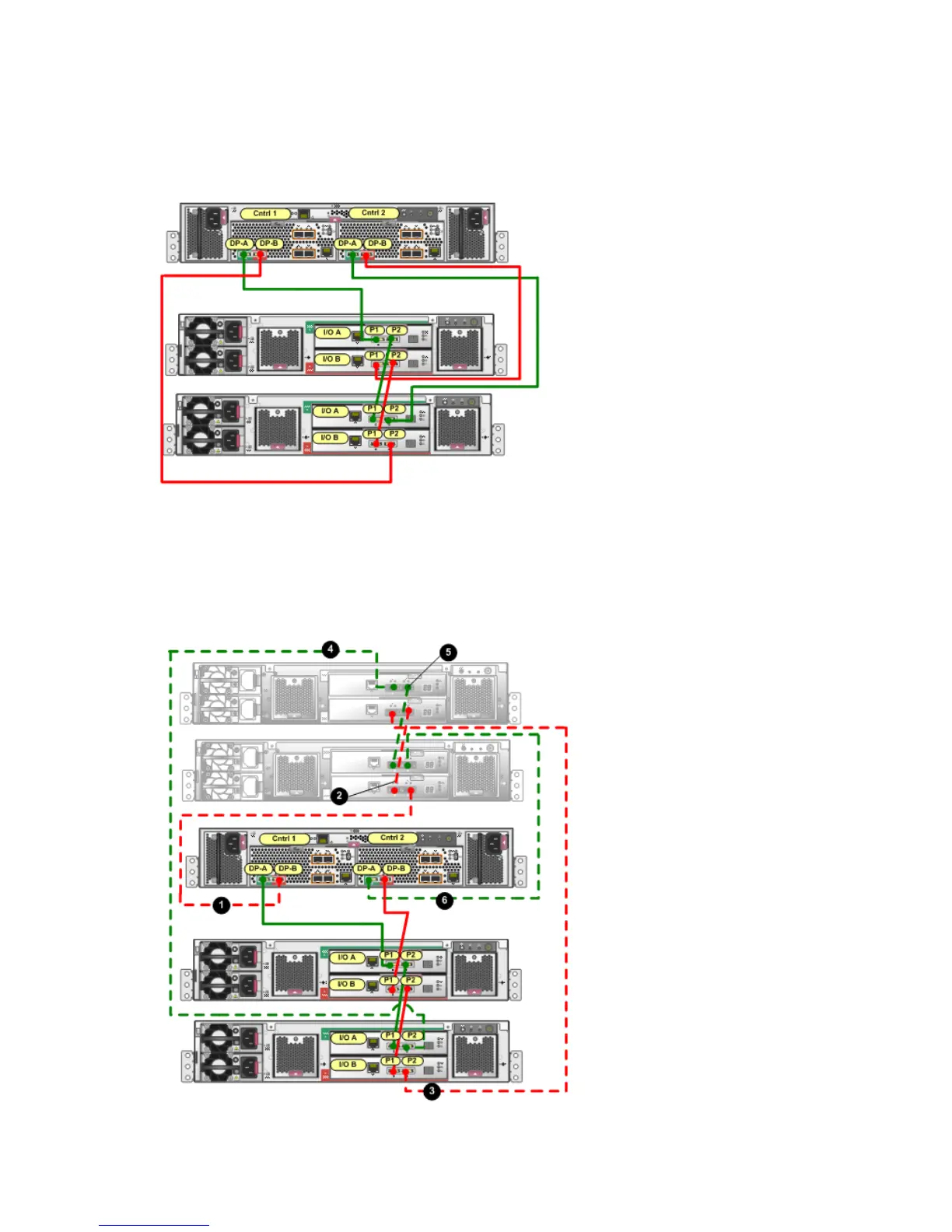
Figure 9 (page 8) shows the cabling for an array with one P6300 EVA controller enclosure and
two disk enclosures.
Figure 9 Cabling for preexisting P6300 EVA
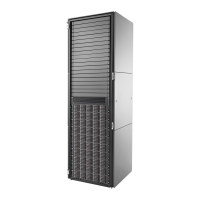
2. Figure 10 (page 8) shows the cabling when two disk enclosures are added to the array. Unplug
the cable between DP-B on controller 1 and I/O module B port P2 of the existing disk enclosure
at the bottom of the rack. Connect the cable from DP-B on controller 1 to I/O module B port P2
on the newly installed disk enclosure closest to the controller enclosure (1, Figure 10 (page 8)).
Figure 10 Adding disk enclosures to the P6300 EVA
8 Cabling the enclosure



 To Next Page