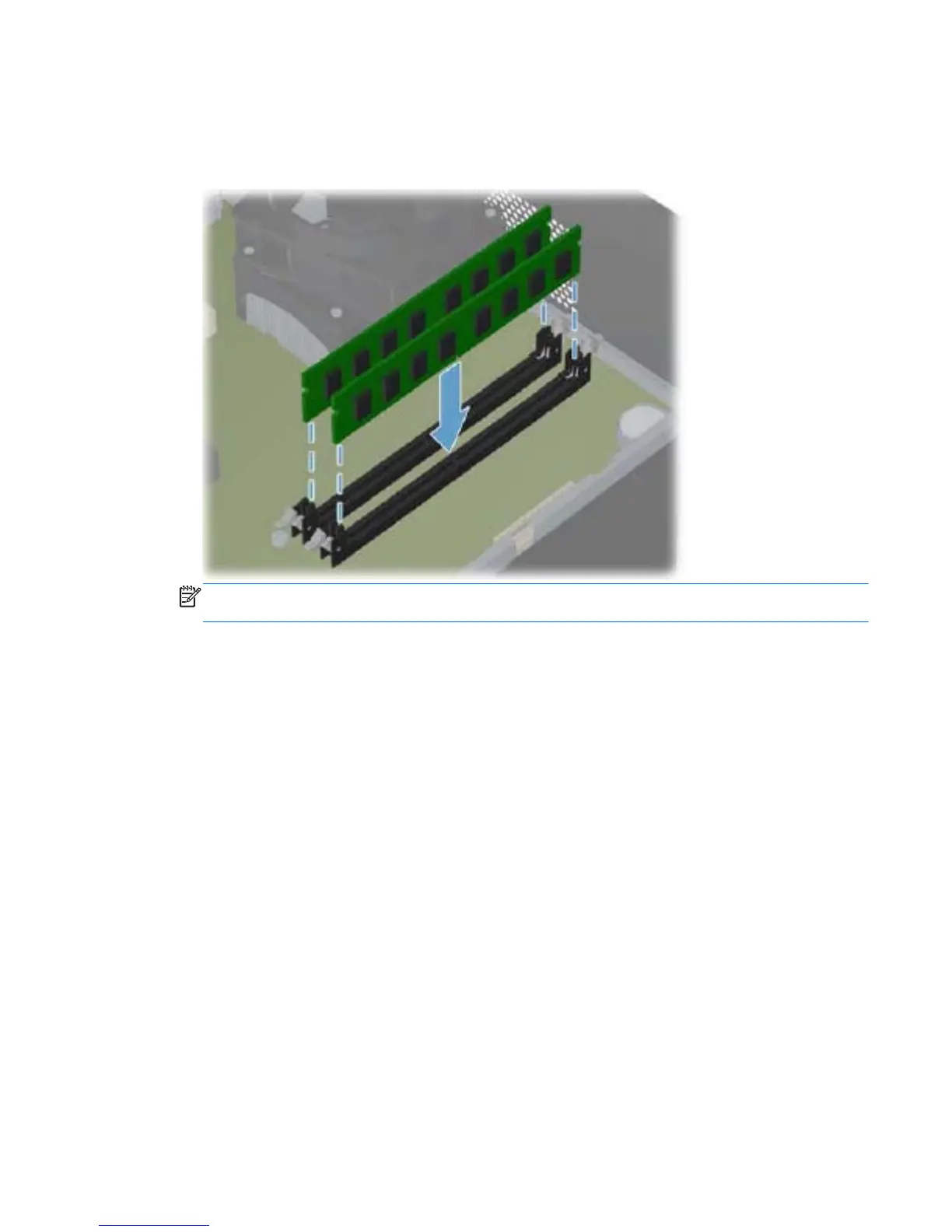
6. To install a memory module, holding the module by the edges, completely slide it into the slot.
Make sure the module is pressed completely into the socket, and then gently push down on the
module until it snaps in place.
Figure 8-8 Installing a DIMM
NOTE: A memory module can be installed in only one way. Match the notch on the module
with the tab on the memory socket.
The computer should automatically recognize the additional memory the next time you turn on the
computer.
Memory 97


 To Next Page