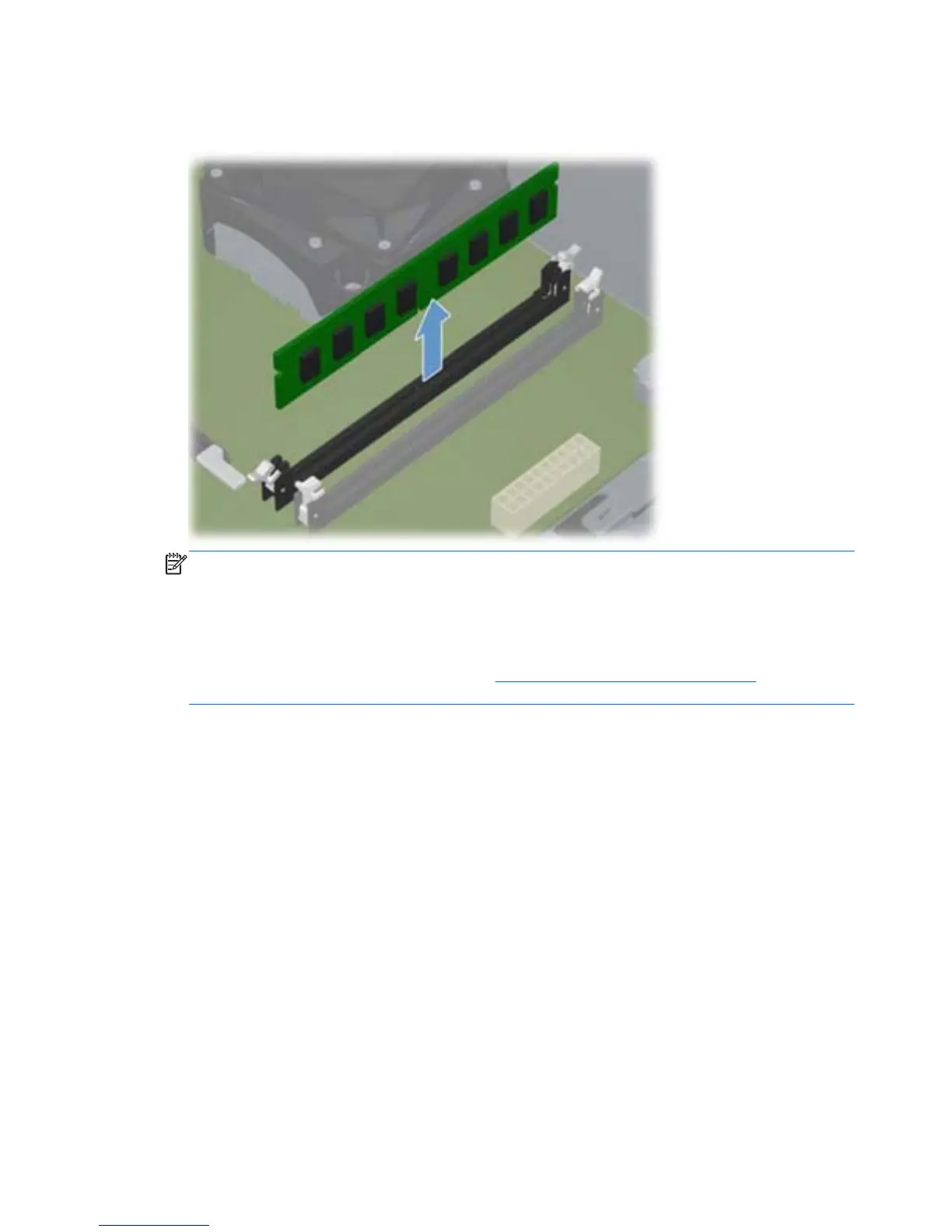
5. Remove the memory module from the socket.
Figure 7-7 Removing a DIMM
NOTE: A memory module can be installed in only one way. Match the notch on the module
with the tab on the memory socket.
A DIMM must occupy the DIMM1 socket. Always populate the blue sockets before the black
sockets in each channel.
To create a dual-channel memory configuration, the memory capacity of Channel A must equal
the memory capacity of Channel B. Refer to
Populating DIMM Sockets on page 48 for more
information.
To install a memory module, reverse the removal procedures.
50 Chapter 7 Removal and Replacement Procedures – Microtower (MT) Chassis


 To Next Page