Hardware options installation 55
4.
Remove the air baffle (on page 21).
5. Remove any existing expansion board that blocks the access to the rear system fan connector.
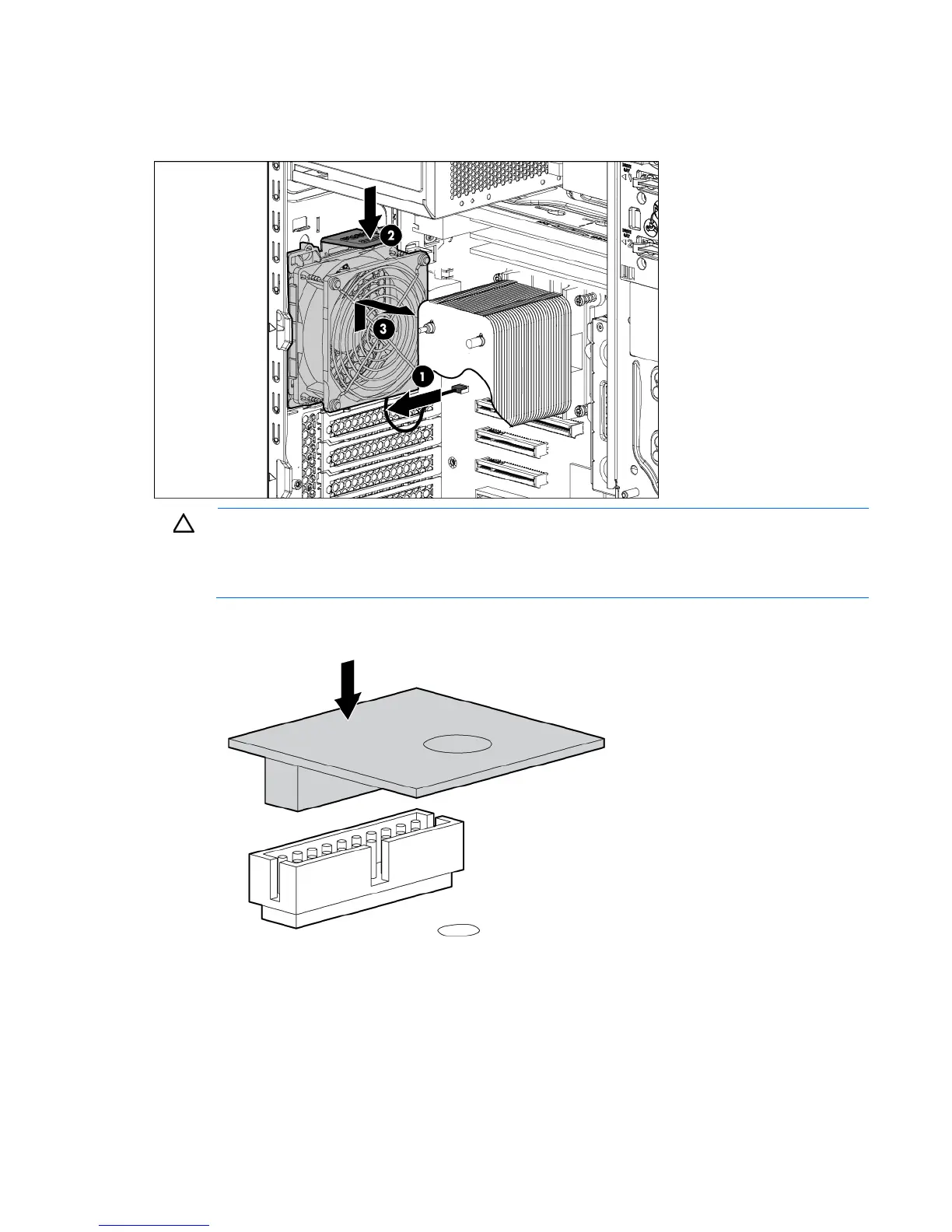
6. Remove the rear system fan.
CAUTION: Any attempt to remove an installed TPM from the system board breaks or disfigures
the TPM security rivet. Upon locating a broken or disfigured rivet on an installed TPM,
administrators should consider the system compromised and take appropriate measures to ensure
the integrity of the system data.
7. Install the TPM board. Press down on the connector to seat the board ("System board components" on
page 11).










 To Next Page