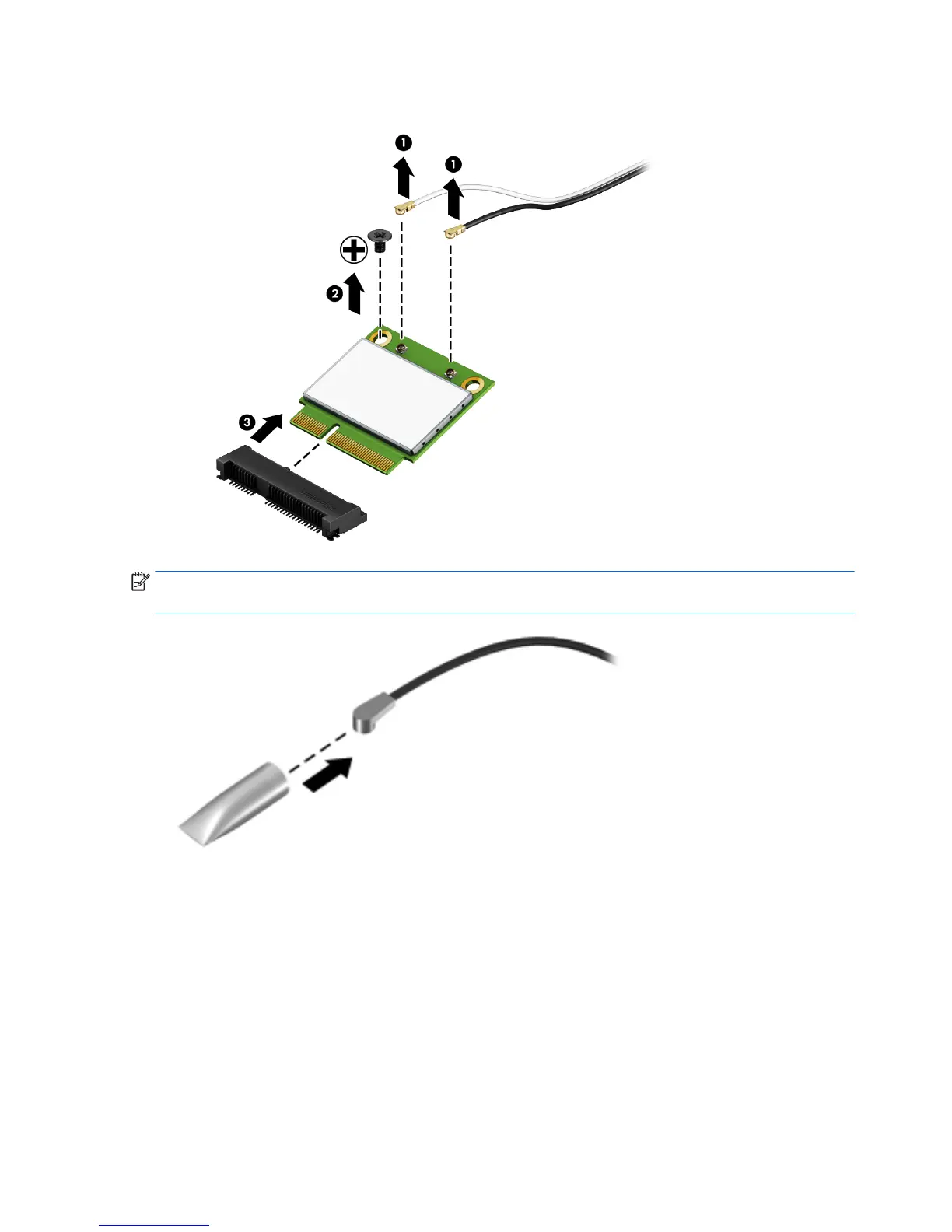
3. Remove the WLAN module (3) by pulling the module away from the slot at an angle.
NOTE: If the WLAN antenna is not connected to the terminal on the WLAN module, a protective sleeve
should be installed on the antenna connector, as shown in the following illustration.
Reverse this procedure to install the WLAN module.
40 Chapter 5 Removal and replacement procedures







 To Next Page