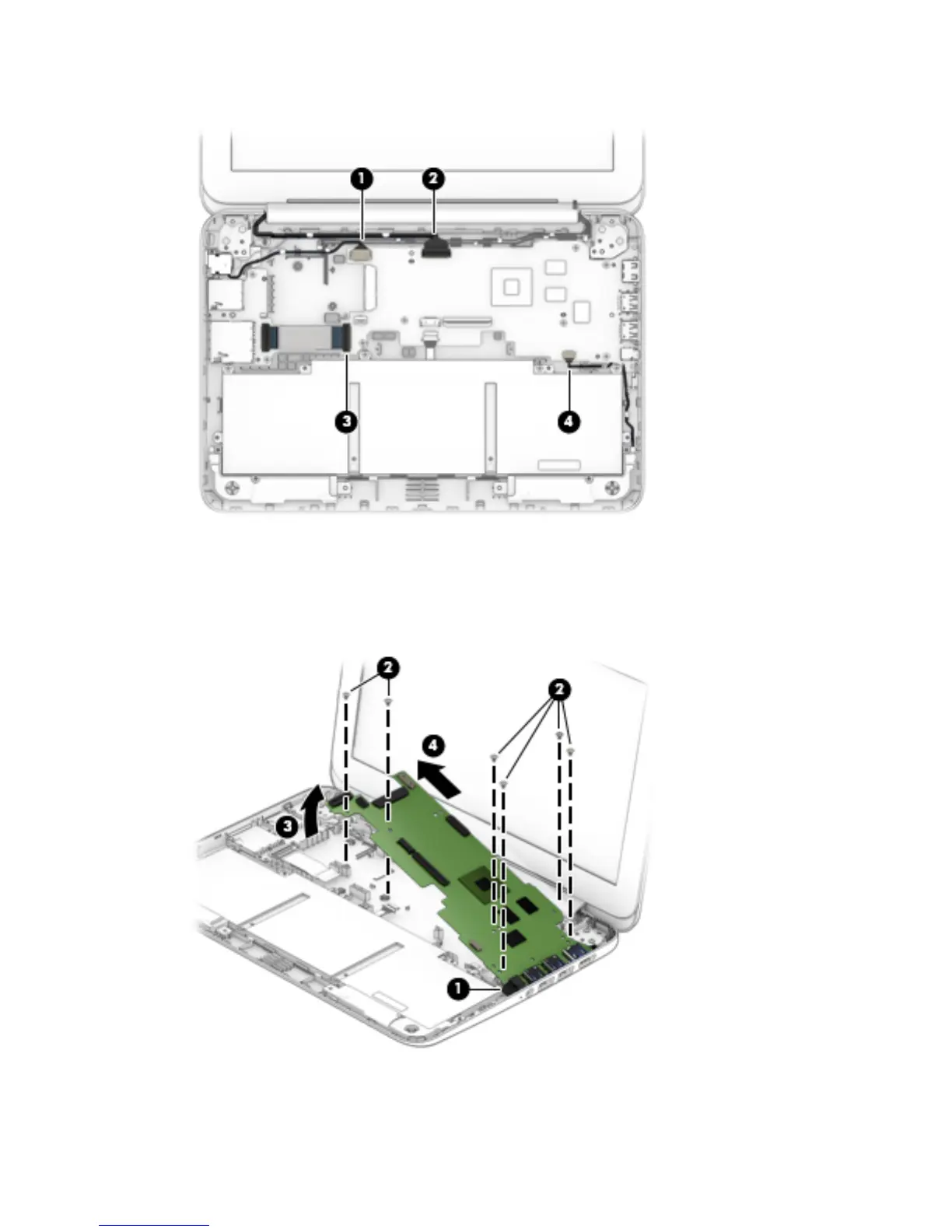
4. Disconnect the speaker cable (4) from the system board.
5. Remove the power light diffuser (1).
6. Remove the six Philllips PM1.9×3.3 screws (2) that secure the system board to the base enclosure.
7. Lift the left side of the system board (3) until it rests at an angle.
8. Remove the system board (4) by sliding it up and to the left at an angle.
Reverse this procedure to install the system board.
44 Chapter 5 Removal and replacement procedures







 To Next Page