Maintenance 20
Shipping instructions
Keep the original packing box in a storage area in case you must move or ship your HP TFT7600 KVM
Console.
Moving a rack with the HP TFT7600 KVM Console
installed
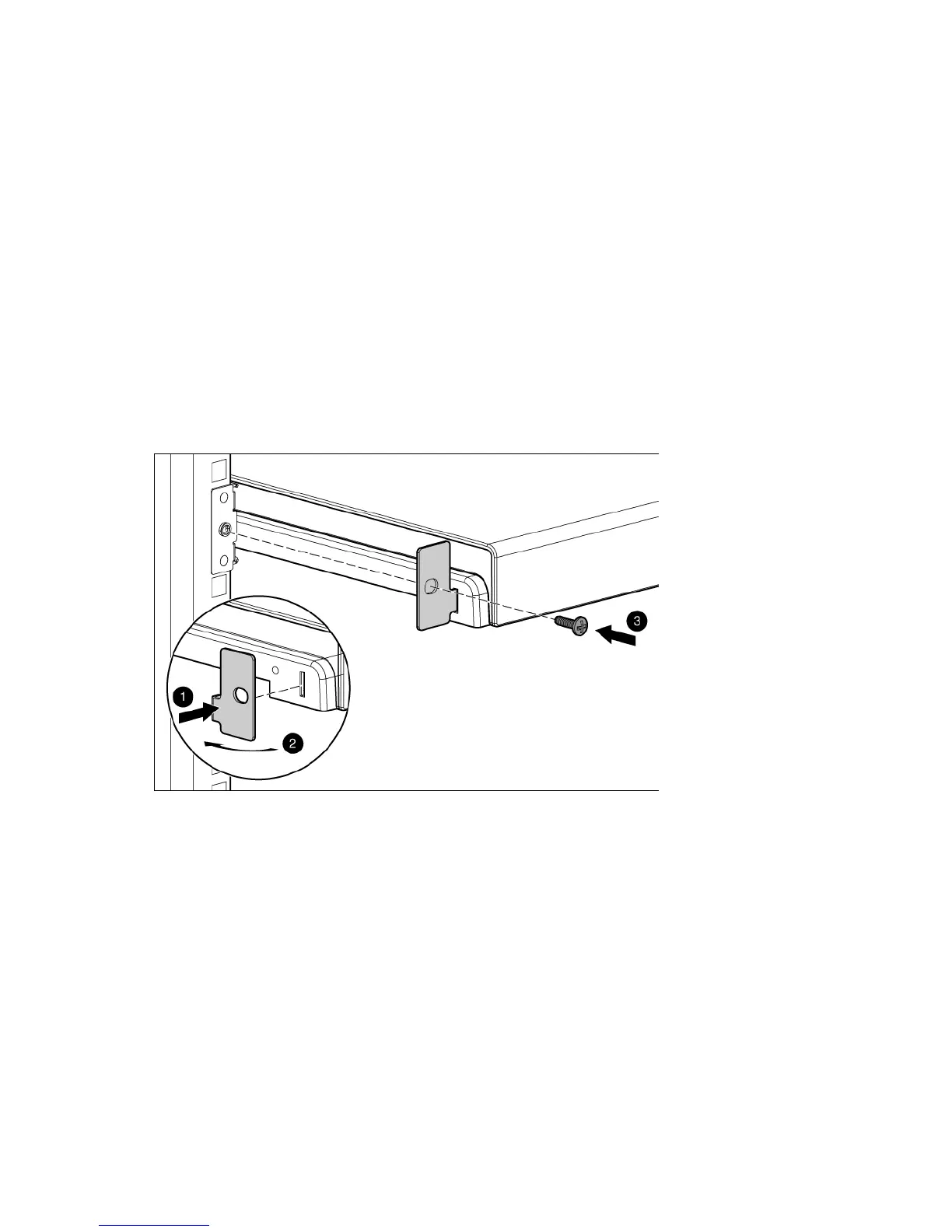
When moving the HP TFT7600 KVM Console installed in a rack, HP recommends that you install the lock
plates, included in your kit, on each side of the unit and rack.
To install lock plates:
1. Place the lock plate into the slot and rotate it back.
2. Insert one M6 screw into the hole on the lock plate, securing the unit to the rack.
3. Repeat steps 1 and 2 to install the other lock plate.









 To Next Page