Need help?
Do you have a question about the HP U27 and is the answer not in the manual?
General safety precautions for service personnel to minimize risk of injury.
Crucial advice for service technicians regarding high voltage and component handling.
Provides an overview of service levels for the monitor.
Information on obtaining and applying firmware updates for the monitor.
Steps to ensure safety before returning the serviced monitor.
Details on the various capabilities and specifications of the HP U27 4k monitor.
Instructions and distributor information for ordering replacement parts.
Essential steps and materials needed before disassembling the monitor.
Procedures for removing the RC component from the monitor.
Step-by-step guide for repairing or replacing the HDMI connector.
Step-by-step guide for repairing or replacing the DisplayPort connector.
This document serves as a Maintenance and Service Guide for the HP U27 4k model monitor, identified by part number L95468. It provides comprehensive information for trained service personnel regarding the monitor's features, maintenance, and repair procedures.
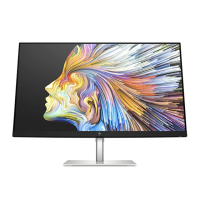
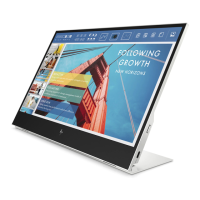
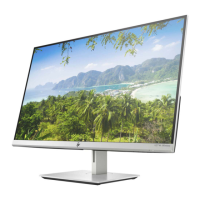
The HP U27 4k model is a 68.58 cm (27-inch) IPS monitor designed for high-resolution display. It supports a 3840 x 2160 resolution, operating at 30 Hz for wireless connections and 60 Hz for wired connections. The monitor features an ultrawide backlit display and offers full-screen support for lower resolutions, ensuring versatility across various content types. Its antiglare panel with an LED backlight enhances viewing comfort by reducing reflections. A wide viewing angle allows for clear visibility from various positions, whether sitting, standing, or moving from side to side.
A key feature of this monitor is its wireless sharing capability, allowing seamless content projection from notebook computers. This functionality is facilitated by the HP Quick Pair app, which simplifies the initiation of wireless pairing. The monitor boasts a three-sided borderless screen design, contributing to a more immersive viewing experience and a sleek aesthetic.
For connectivity, the U27 4k model includes a range of input and output options. It features a DisplayPort™ (DP) video input and a High-Definition Multimedia Interface (HDMI) video input, with an HDMI cable provided for immediate use. Audio connectivity is supported through an audio-in jack and an audio-out (headphone) jack. The monitor also incorporates Plug and Play capability, ensuring easy setup with compatible operating systems.
Security is addressed with a security cable slot located on the rear of the monitor, allowing for the attachment of an optional security cable to deter theft. The monitor's on-screen display (OSD) provides adjustments in multiple languages, enabling users to easily set up and optimize their screen settings. To protect digital content, the monitor includes High-bandwidth Digital Content Protection (HDCP) copy protection on all digital inputs. For flexible mounting options, it is equipped with a VESA® mounting bracket, compatible with wall-mount devices or swing arms.
The monitor also offers low blue light mode settings, designed to create a more relaxing and less stimulating image, which can be beneficial for eye comfort during extended use. An energy saver feature is integrated to meet requirements for reduced power consumption, aligning with environmental standards.
The HP U27 4k monitor is designed for ease of use and adaptability. Its high resolution and IPS panel technology provide crisp, vibrant images suitable for a wide range of applications, from professional work to multimedia consumption. The wireless sharing feature simplifies presentations and collaborative work by eliminating the need for physical cables to connect a notebook. The HP Quick Pair app streamlines the connection process, making it user-friendly even for those less familiar with wireless display technologies.
The ergonomic design includes tilt and swivel adjustment capabilities, allowing users to position the screen for optimal viewing comfort and to reduce strain. Height adjustment further enhances ergonomics, accommodating different user preferences and workstation setups. The OSD menu, available in several languages, provides intuitive control over various display settings, including brightness, contrast, color temperature, and input selection. This allows users to fine-tune the monitor's performance to their specific needs and environmental conditions.
The inclusion of both DisplayPort and HDMI inputs ensures compatibility with a broad array of devices, from modern computers to gaming consoles and media players. The audio-in and audio-out jacks provide flexible audio management, allowing users to connect external speakers or headphones directly to the monitor. The Plug and Play functionality minimizes setup time, as the monitor is automatically recognized and configured by the operating system.
The low blue light mode is a thoughtful addition for users who spend long hours in front of the screen, helping to reduce potential eye fatigue. The energy saver feature operates in the background, contributing to lower electricity bills and a reduced environmental footprint without compromising display quality during active use.
This guide outlines essential maintenance and service procedures, emphasizing safety and proper handling. Only trained service personnel familiar with this HP product should perform service or maintenance. Before any work, personnel must read the "Important Safety Information" and disconnect the power cord to prevent component damage.
The guide details important service information and precautions, such as ensuring a dry and clean working environment, using proper safety devices, and employing approved tools and test equipment. It highlights that modules containing electrical components are sensitive to electrostatic discharge (ESD), requiring adherence to ESD safety procedures. For battery-equipped products, precautions against disassembly, high temperatures, and proper recycling/disposal are noted.
The monitor meets RoHS (Restriction of Hazardous Substance) requirements, and service personnel are instructed to use lead-free solder wire when soldering. When replacing capacitors, it is crucial to match polarity, specification, and part number, and to insert new parts carefully to avoid short circuits. The guide also advises against getting the board wet and to work quickly when soldering to prevent overheating. After repairs, a close inspection of the circuit board and a function test are mandatory to confirm proper operation.
The document also addresses ERP Lot5 requirements, stating that professional repairers must have technical competence, comply with regulations for electrical equipment repairers, and possess insurance covering repair liabilities.
For parts ordering, the guide provides an illustrated parts catalog with descriptions and quantities of major components. It also lists connectors by manufacturer, including their location identifiers, component distributors, and distributor part numbers for HDMI, DisplayPort, DC Power, Audio In, Audio Out, USB B type, and USB A type connectors. A note clarifies that connectors may need modification to meet functionality, regulatory, and safety requirements if an exact match is unavailable. Specific instructions are given for modifying the rear cover if certain HDMI, DisplayPort, or DC power connectors are used due to differing pin distances or heights.
Firmware updates for the monitor are available on support.hp.com, ensuring the device can be kept up-to-date with the latest improvements. Before returning a repaired product to the customer, an AC leakage current check on exposed metallic parts is required to ensure electrical safety.
The guide includes detailed removal and replacement procedures, starting with preparation for disassembly. This involves reading safety information, cleaning the workspace, identifying the disassembly area, and preparing for material flow. Required equipment includes a press fixture, working table, screwdriver, knife, gloves, cleaning cloth, ESD protection, and a scraper bar of specified dimensions. Step-by-step instructions are provided for removing the stand, screws, aluminum tapes, and various cables (HDMI/LVDS/LED/FFC/Antenna). It also covers stripping screws from the rear cover, shielding, and Wi-Fi board, and removing thermal pads, the main board, gasket blocks, and heat sinks from the Miracast board.
A dedicated section on connector repair provides detailed steps for replacing HDMI (P200) and DisplayPort (P300) connectors. This involves using a soldering iron and desoldering pump to remove solder, followed by a hot air gun to melt remaining solder, lifting the old connector, placing the new component, and soldering it in place, ensuring it matches the PCB footprint.
Finally, a function test section outlines checks for HDMI, DisplayPort, and Audio functionality after repair, ensuring image display, sound playback, and volume control work correctly. A support and troubleshooting section provides a table of common problems, possible causes, and recommended solutions, covering issues like blank screens, video flashing, monitor being off, improper cable connections, Sleep mode, incompatible video cards, blurred images, "Check Video Cable" messages, "Input Signal Out of Range" messages, and OSD/Power Button lockouts.
 General
| Pixel pitch | 0.155 x 0.155 mm |
|---|---|
| Screen shape | Flat |
| Pixel density | 163 ppi |
| Display diagonal | 27 \ |
| Display technology | LED |
| Native aspect ratio | 16:9 |
| Vertical scan range | 40 - 60 Hz |
| Maximum refresh rate | 60 Hz |
| Horizontal scan range | 31 - 135 kHz |
| Contrast ratio (typical) | 1000:1 |
| Display number of colors | - |
| Display brightness (typical) | 300 cd/m² |
| Supported graphics resolutions | 640 x 480 (VGA), 800 x 600 (SVGA), 1024 x 768 (XGA), 1280 x 1024 (SXGA), 1280 x 720 (HD 720), 1280 x 800 (WXGA), 1440 x 900 (WXGA+), 1600 x 900, 1680 x 1050 (WSXGA+), 1920 x 1080 (HD 1080), 1920 x 1200 (WUXGA), 3840 x 2160 |
| Headphone out | Yes |
| USB hub version | 3.2 Gen 1 (3.1 Gen 1) |
| DisplayPort version | 1.2 |
| USB Type-A downstream ports quantity | 3 |
| Certification | BSMI; CB; CCC; CE; CSA; CSA-NRTL; EAC; EUP Lot-6; FCC; GEMS; HRN N N0.201; ICES; IS 1121; KC/KCC; PSB; RCM; SABS IEC 60950-1; SASO; TUV Bauart; VCCI; ISC; EUP Lot-26; IEC 60950:1999; eStandby; MEPS (HP) UKRAINIA; ISO 9241; China CEL |
| Market positioning | Home |
| Tilt angle range | -5 - 16 ° |
| Panel mounting interface | 100 x 100 mm |
| Operating temperature (T-T) | 5 - 35 °C |
| Operating relative humidity (H-H) | 20 - 80 % |
| Package type | Box |
| Package depth | 125 mm |
| Package width | 699 mm |
| Package height | 462 mm |
| Package weight | 7450 g |
| AC input voltage | 100 - 240 V |
| Power consumption (standby) | 0.3 W |
| Power consumption (typical) | 46.2 W |
| Cables included | AC, HDMI |
 Weight and Dimensions
| Depth (with stand) | 193.5 mm |
|---|---|
| Height (with stand) | 501.3 mm |
| Weight (with stand) | 5000 g |
| Depth (without stand) | 53.2 mm |
| Width (without stand) | 613.5 mm |
| Height (without stand) | 366.5 mm |

 To Next Page