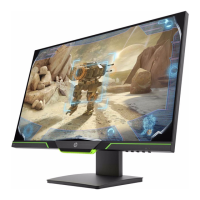
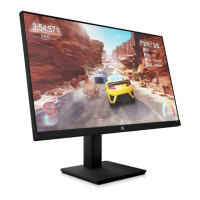
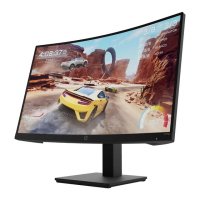
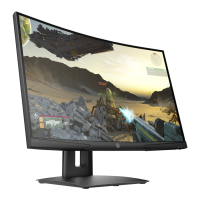
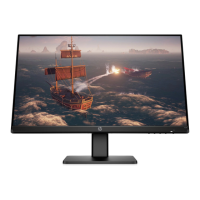
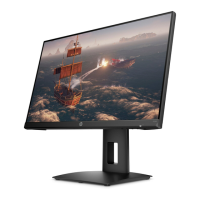
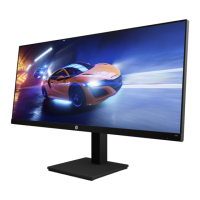
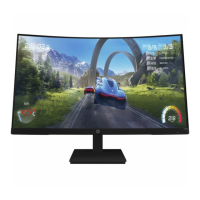
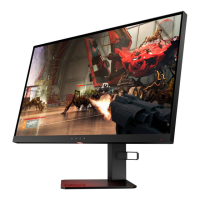
This document serves as a Maintenance and Service Guide for the HP X27c model monitor, providing comprehensive information on spare parts, removal and replacement procedures, diagnostic tests, and problem troubleshooting. It is intended for trained service personnel and emphasizes adherence to safety and service precautions.
Function Description
The HP X27c monitor is a 68.6 cm (27-inch) curved display with a 1500mm radius, offering a 2560x1440 resolution. It features an ultra-wide backlit display with full-screen support for lower resolutions. The monitor is designed for various uses, including gaming and general computing, with features aimed at enhancing user experience and ease of maintenance.
Important Technical Specifications
- Display Size and Curvature: 68.6 cm (27 inches) curved, 1500mm radius.
- Resolution: 2560x1440.
- Panel Type: Antiglare panel with an LED backlight.
- Video Inputs: DisplayPort (DP) and High-Definition Multimedia Interface (HDMI). An HDMI cable is provided.
- Audio Output: Audio-out (headphone) jack.
- Power Input: 100-240V~2A (2A) 50/60Hz.
- Power Board Part Numbers: PLPCKH362UQA1 (1st source) or PLPCKH362UQA2 (2nd source).
- Main Board Part Number: CBPC1A8HPQ1.
- Connectors: HDMI (CN501), DisplayPort 1 (CN551), Audio (CN601).
- Compliance: RoHS (2002/95/EC) compliant, meeting EU requirements for hazardous substances. It also complies with FCC Rules (part 15) and CAN ICES-003(B)/NMB-003(B).
- Safety Certifications: TÜV Rheinland BLVEIGHT CERTIFIED (Eyesafe, Color Accurate), CCC, HDMI, CE, NOM, NYCE.
- Manufacturing Date: November 2021 (as per example label).
- Regulatory Model No: HSD-0100-A.
Usage Features
The HP X27c monitor offers several features to enhance usability and viewing comfort:
- Wide Viewing Angle: Allows for comfortable viewing from various positions (sitting, standing, side-to-side).
- Adjustability: Includes tilt and height adjustment capabilities for ergonomic positioning.
- Plug and Play: Supports Plug and Play functionality with compatible operating systems.
- Security: Features a security cable slot on the rear for an optional security cable.
- On-Screen Display (OSD): Provides multi-language OSD adjustments for easy setup and screen optimization.
- Copy Protection: Incorporates High-bandwidth Digital Content Protection (HDCP) on all digital inputs.
- Mounting: VESA mounting bracket for attaching the monitor to a wall-mount device or swing arm.
- Low Blue Light Mode: Settings to create a more relaxing and less stimulating image, reducing eye strain.
- Energy Saver Feature: Designed to meet requirements for reduced power consumption.
- Front Controls:
- Menu/OK button: Opens the OSD menu or confirms selections.
- Next Active Input/Up/Increase button: Switches input source or navigates OSD menus.
- Color Modes/Down/Decrease button: Opens the Color menu for screen adjustments or navigates OSD menus.
- Brightness+ Input/Exit/Back button: Opens brightness adjustment scale or switches video input ports.
- Power button: Turns the monitor on or off.
Maintenance Features
The guide provides detailed procedures for maintenance and repair, emphasizing safety and proper techniques:
- Service Personnel: Only trained service personnel familiar with the product should perform service.
- Safety Precautions: Strict adherence to safety information, including disconnecting power before opening the cabinet, using proper safety devices, and following ESD safety procedures for electrical components.
- RoHS Compliance: Emphasizes the use of lead-free solder wire for repairs and ensuring replacement parts are RoHS compliant if original parts were.
- Capacitor Replacement: Instructions for matching polarity, specification, part number, and location when replacing capacitors, and careful insertion to avoid short circuits.
- Circuit Board Handling: Warnings against getting the board wet, using lead-free solder, working quickly to avoid overheating, and keeping the soldering iron tip clean.
- Post-Repair Inspection: Requirement for a close inspection of the circuit board and a function test of the power supply after repair.
- ERP Lot5 Requirement: Specifies that professional repairers must have technical competence, comply with regulations, and have insurance covering liabilities.
- Firmware Updates: Information on where to find firmware updates (support.hp.com).
- Pre-Return Checks: Performing an AC leakage current check on exposed metallic parts before returning the product to the customer to ensure electrical safety.
- Disassembly Preparation: Detailed steps for preparing the work area, identifying disassembly areas, and ensuring necessary equipment (press fixture, working table, screwdriver, knife, gloves, cleaning cloth, ESD protection, scraper bar) are available.
- Removal and Replacement Procedures: Step-by-step instructions for:
- Rear Cover Removal: Includes removing screws, splitting the frame, using a scraper bar, and disconnecting the key board wire.
- Key Board and LED Board Disassembly: Instructions for removal from the Rear Cover and tearing off tapes.
- Main Frame and Bracket Disassembly: Removing screws from the main frame and bracket.
- Board Disassembly: Removing screws and disconnecting wires from all boards.
- Power Board Removal: Identifying the power board part number and locating its position, with a warning about discharging capacitors.
- Connector Repair (HDMI, DisplayPort, Audio): Detailed steps for removing old connectors using a soldering iron, de-soldering pump, and hot air gun, then placing and soldering new components, ensuring they match the footprint. Emphasizes that connector repair is for out-of-warranty situations and must be performed by professional repairers with electrostatic protection.
- Function Test: After repairs, a function test is required to confirm all functions are working, including HDMI, DP, and Audio tests.
- Troubleshooting Guide: A table listing common problems, possible causes, and recommended solutions, such as power cord disconnection, monitor off, video cable issues, auto-sleep mode, video card incompatibility, low brightness, and OSD/Power button lockouts.
- Parts Ordering: Information on purchasing power boards from HP authorized repair centers, and capacitors and connectors from EU distributors like Farnell, RS Component, and Digi-Key. Cables can be purchased from partsurfer.hp.com. Internal and external power supplies are available from EET_ group.
- Continuous Improvement: HP continually improves and changes product parts, advising to check partsurfer.hp.com for the latest information.

 Need help?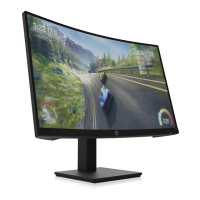

 To Next Page
 General