
 Need help?
Do you have a question about the HPE 5945 and is the answer not in the manual?
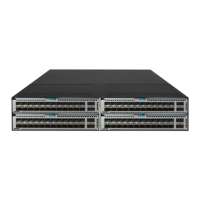
This document outlines the disassembly procedures for the HPE 5945 4-slot Switch JQ076A, a networking equipment product. It is primarily intended for end-of-life recyclers and treatment facilities, providing essential instructions for the selective removal of components and materials in accordance with EU directive 2012/19/EC, Waste Electrical and Electronic Equipment (WEEE). The focus is on ensuring that hazardous or selectively treatable parts are properly identified and separated for environmentally responsible disposal or recycling.
The disassembly process begins with a clear identification of items requiring selective treatment. Printed Circuit Boards (PCBs) or Printed Circuit Assemblies (PCAs) with a surface area greater than 10 square centimeters are specifically noted, with the product containing six such items. While the document lists categories for batteries (all types, including standard alkaline and lithium coin or button style), mercury-containing components (such as those found in lamps, display backlights, scanner lamps, switches), Liquid Crystal Displays (LCDs) with a surface greater than 100 square centimeters (including those with background illumination and gas discharge lamps), Cathode Ray Tubes (CRTs), capacitors/condensers containing PCB/PCT, and electrolytic capacitors/condensers measuring greater than 2.5 cm in diameter or height, the quantity for these items in this particular product is zero, indicating their absence or non-applicability for selective treatment in this model. Similarly, external electrical cables and cords, gas discharge lamps, plastics containing Brominated Flame Retardants weighing over 25 grams (excluding PCBs or PCAs), components with toner and ink (including cartridges, print heads, tubes, vent chambers, and service stations), components with asbestos, and components with refractory ceramic fibers are also listed with a quantity of zero. This detailed categorization ensures that all potential selective treatment items are considered, even if not present in this specific model.
The tools required for disassembly are minimal, primarily a Phillips screwdriver of size 2#. This suggests that the product is designed for relatively straightforward disassembly, at least for the initial stages of component removal. The simplicity of the toolset can facilitate quicker and more efficient processing by recycling facilities.
The disassembly process is broken down into a series of sequential steps, ensuring a methodical approach to component removal. The initial steps involve removing various panels and films. Specifically, all blank panels are to be removed first, followed by film 1-1 from panel 1-2, and shielding fingers 2-1 from panel 2-2. The process then moves to the removal of the cover assembly 4 and management panel 5, which requires unscrewing all screws 3. Further steps involve removing specific lab components (4-3, 4-4, 4-5, 4-6) and foam 4-2 from cover 4-1, and film 5-1 and film 5-3 from panel 5-2. These initial steps seem to focus on gaining access to the internal components of the switch.
Subsequent steps delve deeper into the internal structure, targeting the removal of PCBs and related components. Unscrewing all screws 6 and screws 7 allows for the removal of PCBs 8, 10, 11, and air guide 9. Following this, specific dowels, bushings, springs, and radiators (8-1, 8-2, 8-3, 8-4) are to be removed from PCB 8-5. The process continues with the removal of screws 10-1, followed by the separation of PCBs 10-2 and 10-4, and the removal of double-screw belts 10-3. A similar sequence is applied for screws 11-5, leading to the separation of PCBs 11-6 and 11-7, and the removal of dowels, bushings, springs, and radiators (11-1, 11-2, 11-3, 11-4) from PCB 11-7. The removal of double-screw belts 12 and radiator's screws precedes the removal of radiator 13 and PCB 14.
Further disassembly involves removing handles and support panels. Unscrewing all screws 14-1 allows for the removal of handle 14-2 from PCB 14-3. Screws 15 and 17 are then unscrewed to remove film 16 and support panel 18. The process then focuses on the removal of rack components and additional PCBs: unscrewing all screws 19 and double-screw belts 21, followed by the removal of rack 20 and PCB 22. Finally, screws 22-1 are unscrewed to remove confluence bar 22-2 from PCB 22-3. The concluding step involves the separation of various films (23, 27), shielding fingers 24, foam 25, and conductive foam 26 from the base 28.
The document also includes optional graphic illustrations to aid in identifying components and their locations, which can be particularly helpful for complex disassembly processes. These illustrations, such as "Figure 1 Remove all the blank panel," "Figure 2 Treatments to the power blank panel," "Figure 3 Treatments to the card blank panel," "Figure 4 Unscrew all screws 3, then remove the cover assembly 4 and management panel 5," "Figure 5 Remove lab 4-3,4-4,4-5,4-6 and foam 4-2 from cover 4-1," "Figure 6 Remove film 5-1 and film 5-3 from panel 5-2," "Figure 7 Unscrew all screws 6 and screws 7, then remove the pcb 8,10,11 and air guide 9," "Figure 8 Remove dowel 8-1, dowel bushing 8-2, spring 8-3 and radiator 8-4 from pcb 8-5," "Figure 9 Unscrew all screws 10-1, then separation of pcb 10-2 and pcb 10-4, then remove the double-screw belts 10-3," "Figure 10 Unscrew all screws 11-5, then separation of pcb 11-6 and pcb 11-7, then remove dowel 11-1, dowel bushing 11-2, spring 11-3 and radiator 11-4 from pcb 11-7," "Figure 11 Unscrew all double-screw belts 12 and radiator's screws, then remove radiator 13 and pcb 14," "Figure 12 Unscrew all screws 14-1, then remove handle 14-2 from pcb 14-3," "Figure 13 Unscrew all screws 15 and screws 17, then remove film 16 and support panel 18," "Figure 14 Unscrew all screws 19 and double-screw belts 21, then remove rack 20 and pcb 22," "Figure 15 Unscrew all screws 22-1, then remove confluence bar 22-2 from pcb 22-3," and "Figure 16 Separation of film 23,27, shielding fingers 24, foam 25 and conductive foam 26 from base 28," provide visual guidance for each step, enhancing clarity and reducing the potential for errors during the disassembly process. This comprehensive approach ensures that recyclers can efficiently and safely dismantle the product, isolating materials that require special handling.
 General
| Model | HPE 5945 |
|---|---|
| Input Voltage | 100-240 VAC |
| Operating Temperature | 0°C to 45°C |
| Operating Humidity | 5% to 95% (non-condensing) |
| Uplink Ports | 6 x 40GbE QSFP+ |
| Power Supply | Dual hot-plug power supplies |
| Routing Protocol | OSPF, BGP, IS-IS, RIP |
| Management | CLI, SNMP, RMON, Web UI, IMC (Intelligent Management Center) |


 To Next Page