Paper Pressure test
10
Call Us: (800)215-0894
Performing the paper
pressure test
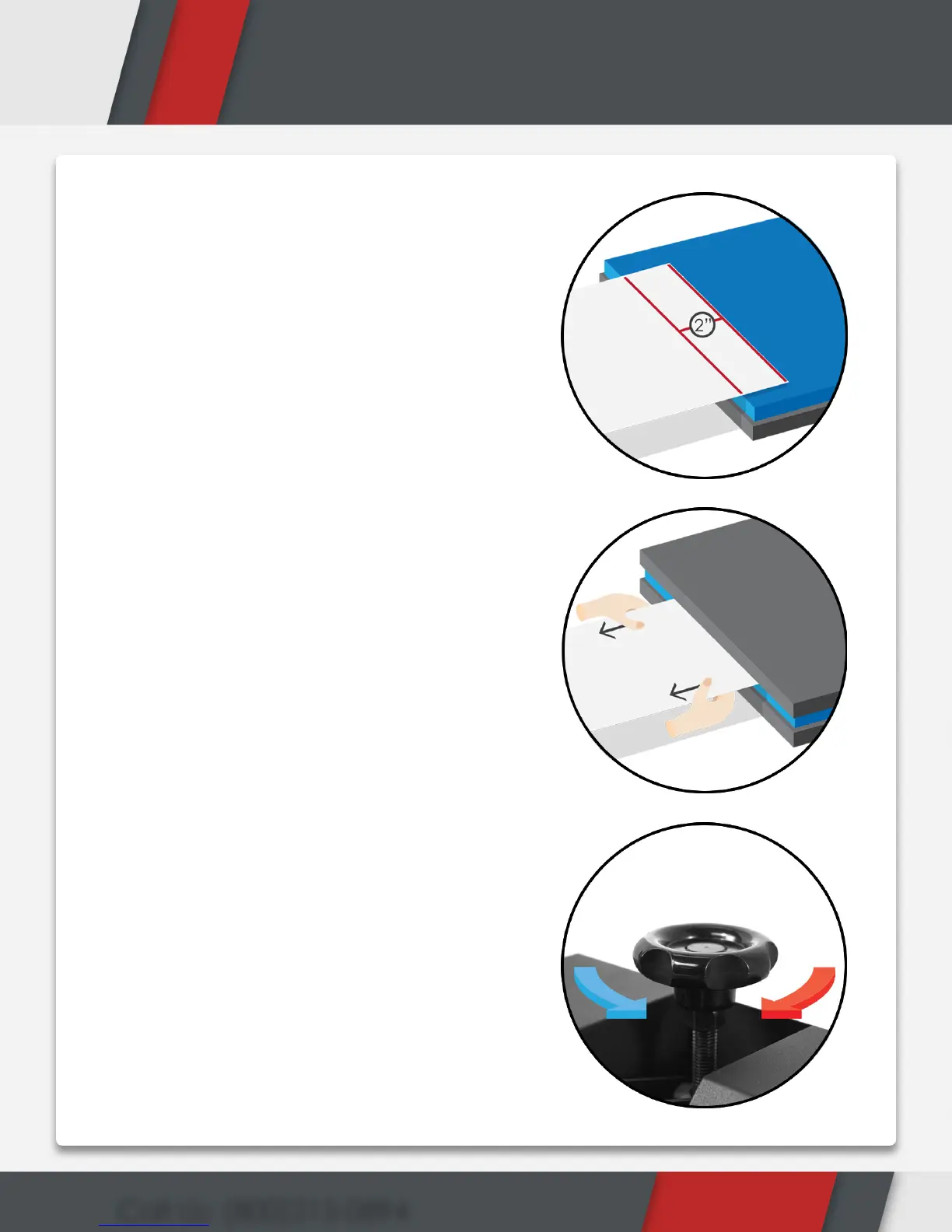
1. Take a plain piece of 8.5” x 11”
copy paper and insert only 2”
of the paper in the front of the
machine.
2. Lock your machine down
completely and try tugging on
the paper on both ends.
3. If the paper slips out, open your
machine and start turning the
pressure knob clockwise to add
more pressure. The rule should
always follow as, “righty tighty,
lefty loosey.”
4. If the paper does not slip out
then the pressure is proper.
5. Repeat steps 1 through 4 on the
front, left, and right side of the
heat press.
6. This is what is considered 50-60
psi or medium to heavy pressure.
7. From here, you may gauge
pressure and adjust accordingly
to reach light to heavy pressure.


 To Next Page