D35 User Manual
Rev:1.0
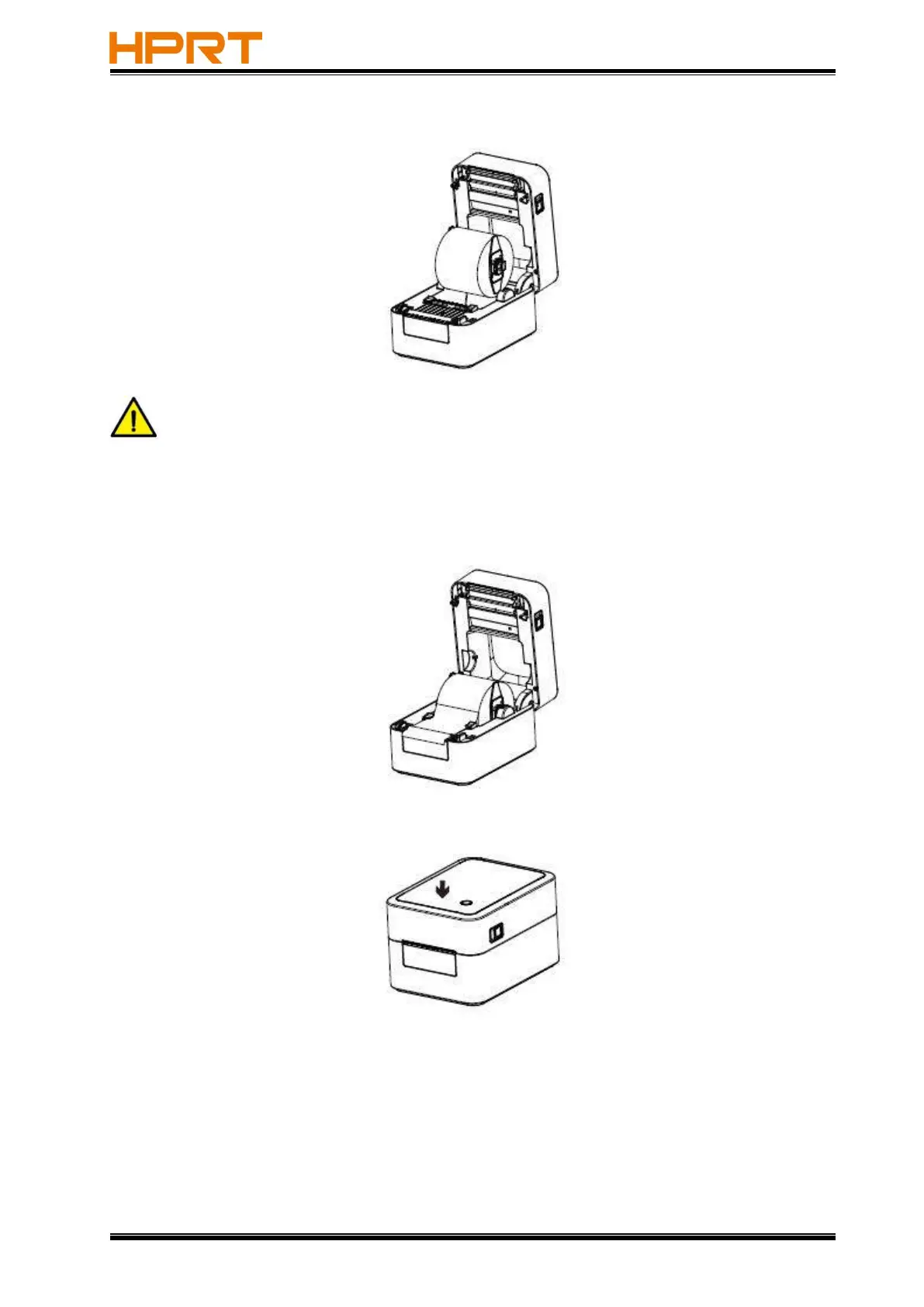
4.Load the paper roll group into the printer from top to bottom.
Note
:
Close the guide clip to the extent to which the label paper is fixed. Make sure the
label paper is fixed, otherwise it will cause the handwriting offset when printing.
5.Pull the paper through paper guides and adjust the guides to fix the paper.
6.Close the top cover until it clicks into place, and confirm that it is locked.



 To Next Page