D35 User Manual
Rev:1.0
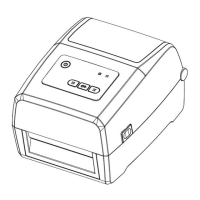
3.4.3 Feed Button
When the printer is turned on:
1
)
Short press Feed button (about 0.5 seconds), release Feed button, then the printer sends out
a blank label
;
2)Press Feed button (about 1.5 seconds) until the blue or orange light flashes once, release the
Feed button, then the printer will print the self-test page;
3)Press Feed button (about 3 seconds) until the blue or orange light flashes twice, release the
Feed button, then the printer will learn the seam label mode;
4
)
Press Feed button (about 4.5 seconds) until the blue or orange light flashes twice, release the
Feed button, then the printer will learn the black label mode.
When the printer is in the state of printing
:
Short press Feed button(about 0.5 second), then release Feed button and the printer will pause
printing.
When the printer is in the state of pausing:
Short press Feed button(about 0.5 second), then release Feed button and the printer will
continue to print.



 To Next Page