D35 User Manual
Rev:1.0
6.2.3 Parameter Setting
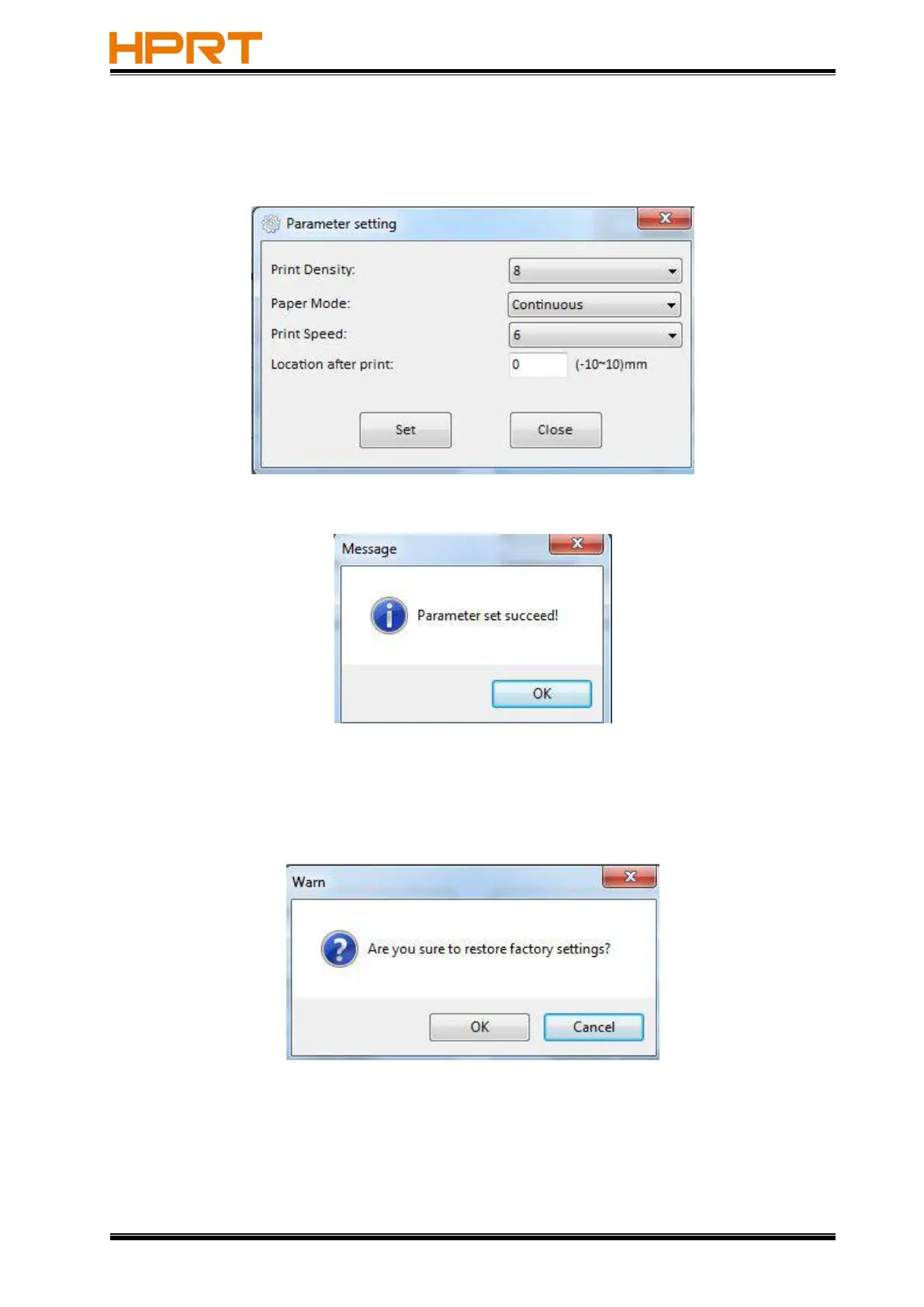
●Click “Parameter Setting”. User can set up the density, paper mode ,speed and so on.
Click “Set” to save all the above settings.
Click
“
OK
”
and back to the main menu.
●Click “Restore Factory Settings”. Click “OK” to restore factory settings and click “Cancel” to
cancel the command.
(4)Click “Quit” to complete all the above settings.



 To Next Page