D35 User Manual
Rev:1.0
Chapter 3 Installation & Usage
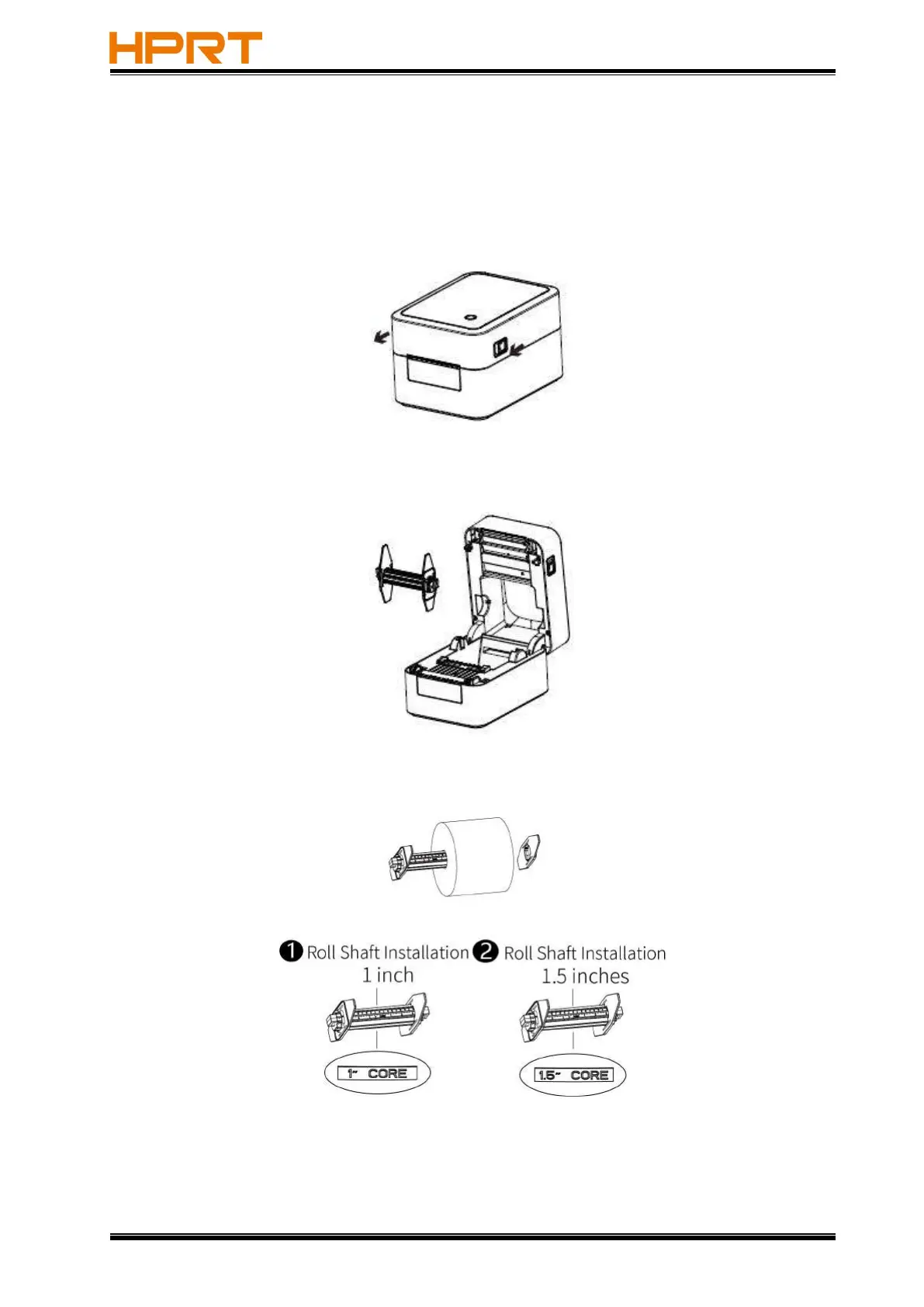
3.1 Paper Roll Loading
1.Facing the front of the printer, move the top cover opening button forward with both hands at
the same time, and lift the top cover upward.
2.Hold the paper roll shaft,and take it out upward.
3.Fit the inner diameter of the paper roll into the paer roll shaft.



 To Next Page