EasyManua.ls Logo

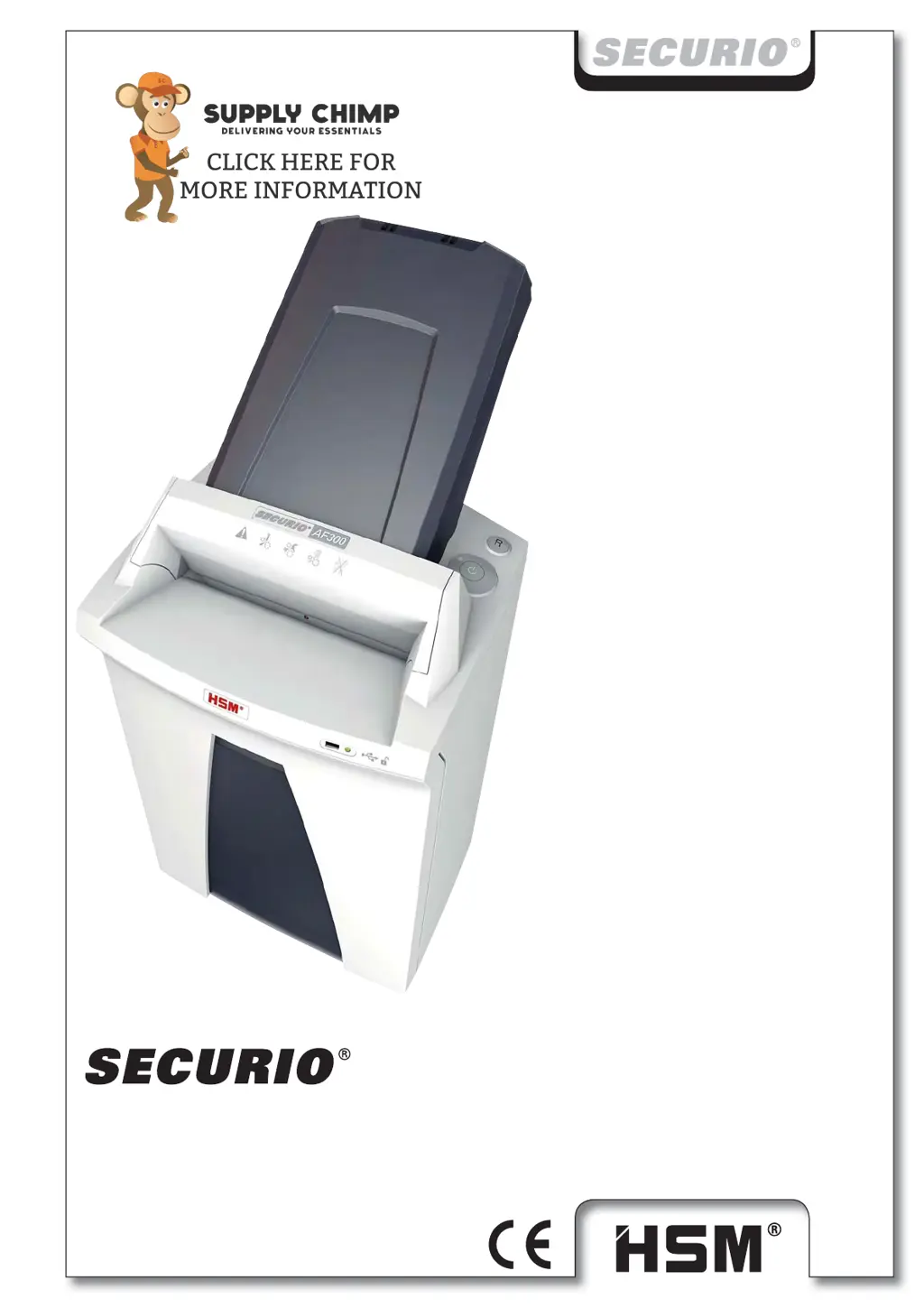
HSM SECURIO AF300L5 - User Manual

HSM SECURIO AF300L5
222 pages
Go to English
Print Icon
To Next Page IconTo Next Page
Loading...
BETRIEBSANLEITUNG
OPERATING INSTRUCTIONS
NOTICE D‘UTILISATION
MANUALE OPERATIVO
INSTRUCCIONES DE SERVICIO
INSTRUÇÕES DE OPERAÇÃO
GEBRUIKSAANWIJZING
BRUGSVEJLEDNING
BRUKSANVISNING
KÄYTTÖOHJE
BRUKSANVISNING
INSTRUKCJA OBSŁUGI
NÁVOD K OBSLUZE
NÁVOD NA OBSLUHU
KASUTUSJUHEND
ИНСТРУКЦИЯ ПО ЭКСПЛУАТАЦИИ
NAVODILO ZA UPORABO
ÜZEMELTETÉSI ÚTMUTA
MANUAL DE EXPLOATARE
ИНСТРУКЦИЯ ЗА ЕКСПЛОАТАЦИЯ
ΟΔΗΓΙΕΣ ΛΕΙΤΟΥΡΓΙΑΣ
KULLANIM KILAVUZU
AF 300
2.093.999.201 A
06/2015

Table of Contents

Questions and Answers

  • S
    Samantha RoyAug 18, 2025
    How to fix a paper jam in my HSM SECURIO AF300L5?
    • G
      Gordon BartonAug 18, 2025
      If your HSM Paper Shredder is experiencing a paper jam, it might be due to feeding too much paper at once. Try pressing the reverse button to remove the stack. Alternatively, reduce the stack of paper, feed the paper in portions, or open the paper cassette and remove any clips.
  • M
    Matthew FoxAug 21, 2025
    What to do if the shredded material container is full on my HSM Paper Shredder?
    • D
      Daniel OrtizAug 21, 2025
      If your HSM Paper Shredder indicates that the shredded material container is full, you should empty it. Briefly pressing the reverse button before removing the container can help pull some material back into the cutting apparatus, preventing it from falling out.
  • C
    curtisjacksonAug 23, 2025
    Why is my HSM SECURIO AF300L5 overloaded?
    • M
      michael48Aug 23, 2025
      If your HSM Paper Shredder is overloaded, it's likely that the motor has overheated. Allow the shredder to cool down for approximately 15-20 minutes before attempting to use it again.
  • M
    Melissa StephensAug 26, 2025
    What to do if the container or safety element is open on my HSM SECURIO AF300L5 Paper Shredder?
    • T
      Tiffany JonesAug 26, 2025
      If your HSM Paper Shredder indicates that the container or safety element is open, ensure that the shredded material container is correctly inserted in the base cabinet and that the safety element is properly folded back.
  • S
    samuel94Aug 28, 2025
    What to do if the HSM Paper Shredder says overload?
    • P
      Paul CarrAug 28, 2025
      If the HSM Paper Shredder indicates an overload, it means the motor was overloaded. Allow the shredder to cool down for approximately 15–20 minutes before resuming use.
  • H
    Heather SmithAug 30, 2025
    What to do if shredded material container is full in HSM SECURIO AF300L5?
    • C
      Chris AustinAug 30, 2025
      If you see that the shredded material container is full in your HSM Paper Shredder, simply empty the container.
  • G
    Gregory RobinsonSep 2, 2025
    Why is the motor running continually on my HSM Paper Shredder?
    • K
      Kendra MendozaSep 2, 2025
      If the motor of your HSM Paper Shredder runs continually without taking paper, it's usually because of paper clips or staples in the paper stack. Remove any paper clips or staples and reload the stack.
  • J
    Justin LopezSep 5, 2025
    What to do if the container or safety element is open on HSM Paper Shredder?
    • S
      Stacy WongSep 5, 2025
      If the container or safety element is open on your HSM Paper Shredder, ensure that the shredded material container is correctly inserted in the base cabinet and that the safety element is folded back.
  • C
    Christopher WhiteSep 7, 2025
    What to do if HSM SECURIO AF300L5 light is flashing?
    • D
      Debra KingSep 7, 2025
      If the light is flashing on your HSM Paper Shredder, pull the paper out of the slot to clear the light barrier.
  • M
    Melissa TaylorSep 10, 2025
    What to do if the HSM SECURIO AF300L5 shredded material container is full?
    • K
      Kayla GriffinSep 10, 2025
      If the shredded material container of your HSM Paper Shredder is full, empty it. Briefly press the reverse button before removing the container to pull some material back into the cutting apparatus, preventing it from falling inside the shredder.

HSM SECURIO AF300L5 Specifications

General IconGeneral
BrandHSM
ModelSECURIO AF300L5
CategoryPaper Shredder
LanguageEnglish

Related product manuals