EasyManua.ls Logo

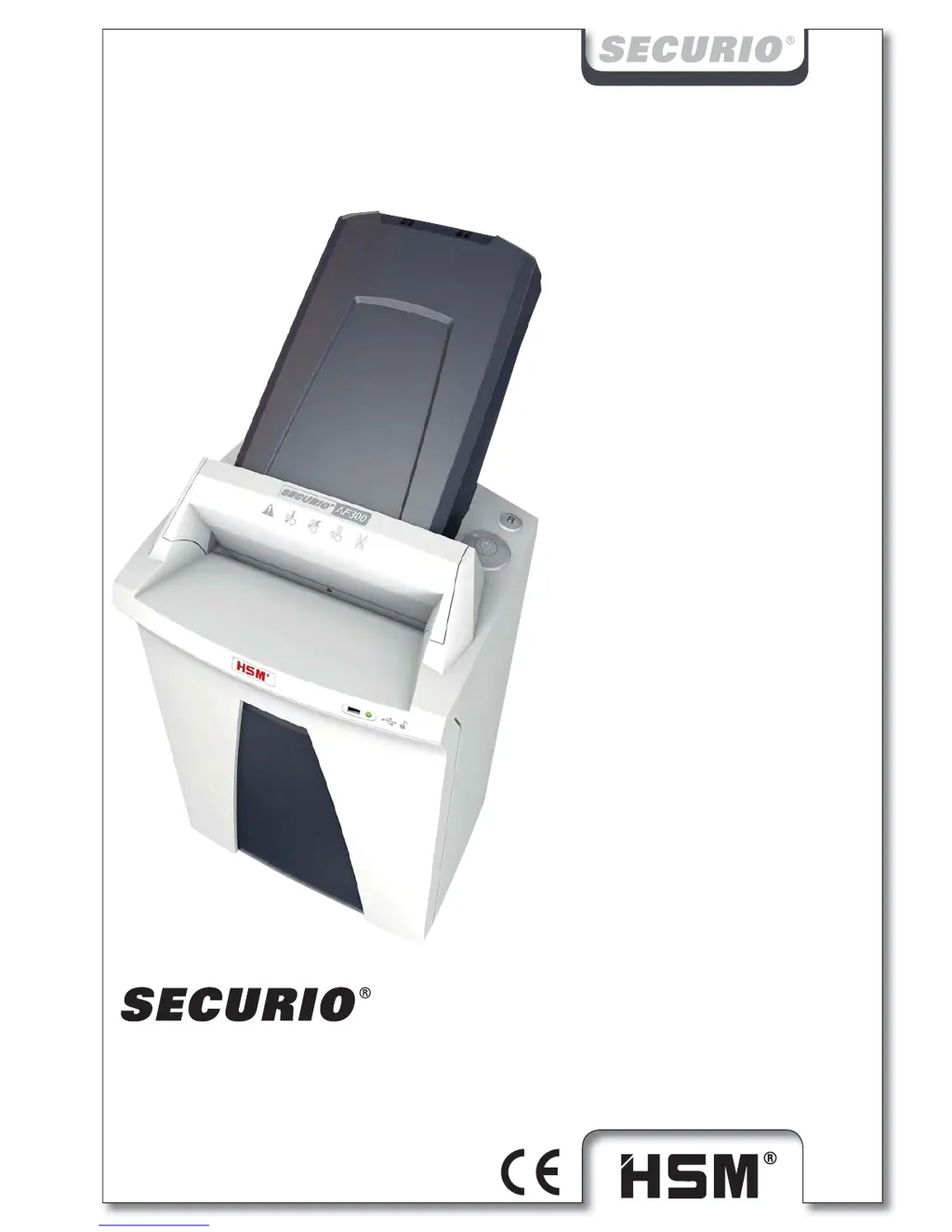
HSM Securio AF300 - User Manual

HSM Securio AF300
11 pages
Print Icon
To Next Page IconTo Next Page
Loading...
BETRIEBSANLEITUNG
OPERATING INSTRUCTIONS
NOTICE D‘UTILISATION
MANUALE OPERATIVO
INSTRUCCIONES DE SERVICIO
INSTRUÇÕES DE OPERAÇÃO
GEBRUIKSAANWIJZING
BRUGSVEJLEDNING
BRUKSANVISNING
KÄYTTÖOHJE
BRUKSANVISNING
INSTRUKCJA OBSŁUGI
NÁVOD K OBSLUZE
NÁVOD NA OBSLUHU
KASUTUSJUHEND
ИНСТРУКЦИЯ ПО ЭКСПЛУАТАЦИИ
NAVODILO ZA UPORABO
ÜZEMELTETÉSI ÚTMUTA
MANUAL DE EXPLOATARE
ИНСТРУКЦИЯ ЗА ЕКСПЛОАТАЦИЯ
ΟΔΗΓΙΕΣ ΛΕΙΤΟΥΡΓΙΑΣ
KULLANIM KILAVUZU
AF 300
2.093.999.201
11/2014
http://www.monomachines.com/

Questions and Answers

  • N
    Nicole GriffithAug 17, 2025
    How to fix a paper jam in my HSM Paper Shredder?
    • J
      jbrownAug 17, 2025
      If your HSM Paper Shredder is experiencing a paper jam, it might be due to feeding too much paper at once. Try pressing the reverse button to remove the stack. Alternatively, reduce the stack of paper, feed the paper in portions, or open the paper cassette and remove any clips.
  • Z
    zacharybeltranAug 20, 2025
    What to do if the shredded material container is full on my HSM Securio AF300 Paper Shredder?
    • B
      Brooke SharpAug 20, 2025
      If your HSM Paper Shredder indicates that the shredded material container is full, you should empty it. Briefly pressing the reverse button before removing the container can help pull some material back into the cutting apparatus, preventing it from falling out.
  • A
    Austin LeeAug 22, 2025
    Why is my HSM Securio AF300 overloaded?
    • J
      John PetersonAug 22, 2025
      If your HSM Paper Shredder is overloaded, it's likely that the motor has overheated. Allow the shredder to cool down for approximately 15-20 minutes before attempting to use it again.
  • M
    Ms. Jessica WoodAug 26, 2025
    What to do if the container or safety element is open on my HSM Securio AF300?
    • E
      erik67Aug 26, 2025
      If your HSM Paper Shredder indicates that the container or safety element is open, ensure that the shredded material container is correctly inserted in the base cabinet and that the safety element is properly folded back.
  • A
    Alexis HarrisAug 27, 2025
    What to do if the HSM Paper Shredder says overload?
    • R
      rothjustinAug 27, 2025
      If the HSM Paper Shredder indicates an overload, it means the motor was overloaded. Allow the shredder to cool down for approximately 15–20 minutes before resuming use.
  • D
    Darryl KennedyAug 30, 2025
    What to do if shredded material container is full in HSM Securio AF300?
    • M
      Michael MillerAug 30, 2025
      If you see that the shredded material container is full in your HSM Paper Shredder, simply empty the container.
  • A
    alvarezmollySep 1, 2025
    Why is the motor running continually on my HSM Securio AF300?
    • A
      achambersSep 1, 2025
      If the motor of your HSM Paper Shredder runs continually without taking paper, it's usually because of paper clips or staples in the paper stack. Remove any paper clips or staples and reload the stack.
  • N
    Natasha RobertsonSep 4, 2025
    What to do if the container or safety element is open on HSM Securio AF300 Paper Shredder?
    • E
      Evan FergusonSep 4, 2025
      If the container or safety element is open on your HSM Paper Shredder, ensure that the shredded material container is correctly inserted in the base cabinet and that the safety element is folded back.
  • P
    Patricia ArmstrongSep 6, 2025
    What to do if HSM Paper Shredder light is flashing?
    • X
      xbrownSep 6, 2025
      If the light is flashing on your HSM Paper Shredder, pull the paper out of the slot to clear the light barrier.
  • D
    Deborah HuntSep 9, 2025
    What to do if the HSM Securio AF300 Paper Shredder shredded material container is full?
    • W
      Wanda JenkinsSep 9, 2025
      If the shredded material container of your HSM Paper Shredder is full, empty it. Briefly press the reverse button before removing the container to pull some material back into the cutting apparatus, preventing it from falling inside the shredder.

Summary

Safety and Warning Symbols

General Safety Instructions

Read manual before first use and observe all safety instructions on the machine.

Warning: Risk of Injury from Sharp Blades

Never reach into the paper feed slot to avoid injury from sharp blades.

Electrical Safety and Proper Use

Electrical Hazard Warning

Improper handling can lead to electric shock. Take precautions against water and damage.

Initial Setup and Installation

Startup Safety Precautions

Emphasizes dry indoor use, avoiding heat, ensuring plug access, and verifying power supply compatibility.

Shredding Operations

Cassette Feeder Safety and Usage

Instructions for loading paper into the cassette, including capacity limits, safety element, and a warning about injury from rollers.

Troubleshooting Common Issues

Resolving Paper Jams and Overloads

Steps for clearing paper jams, using reverse function, and handling motor overload conditions.

Addressing Fault Lights and Indicators

Guidance for general fault lights, full material container, and open container/safety element issues.

Cleaning and Maintenance Procedures

Electrical Safety During Maintenance

Disconnect mains plug before cleaning or servicing. Avoid water entering the equipment.

HSM Securio AF300 Specifications

General IconGeneral
BrandHSM
ModelSecurio AF300
CategoryPaper Shredder
LanguageEnglish

Related product manuals