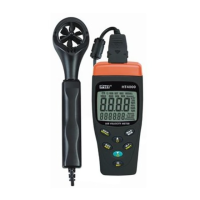
HT4000
EN - 6
4.3.6. / UNIT key
The key / UNIT has many functions:
¾ UNIT Æ Press and hold to select the measuring unit of quantities on the main display
(see § 4.4.2)
¾ Æ Just press to confirm selection of the measuring unit
¾ It permits setting the measurement values of the volumetric flow (see § 4.6)
¾ It permits to confirm cancellation of internal memory (see § 4.10)
¾ It permits to activate/disable the automatic shutdown of display backlight (see § 4.4.1)
4.3.7. / SET key
The key / SET has a dual function:
¾ Æ Just press to activate or deactivate display backlight
¾ SET Æ Press and hold to enter the set-up area for volumetric flow measurement.
Backlight and memory cancellation
4.3.8. Check of displayed symbols as well as Firmware version
When the instrument is off press and hold the key T/ . The instrument displays all
symbols. Releasing the key the instrument displays the internal firmware version for one
second before going to next screen.


 To Next Page