HT21
EN - 11
4.3.5. Frequency and Duty Cycle measurements
CAUTION
The maximum input for AC voltage is 250V. Do not attempt to measure
higher voltages to avoid electrical shocks or damages to the instrument.
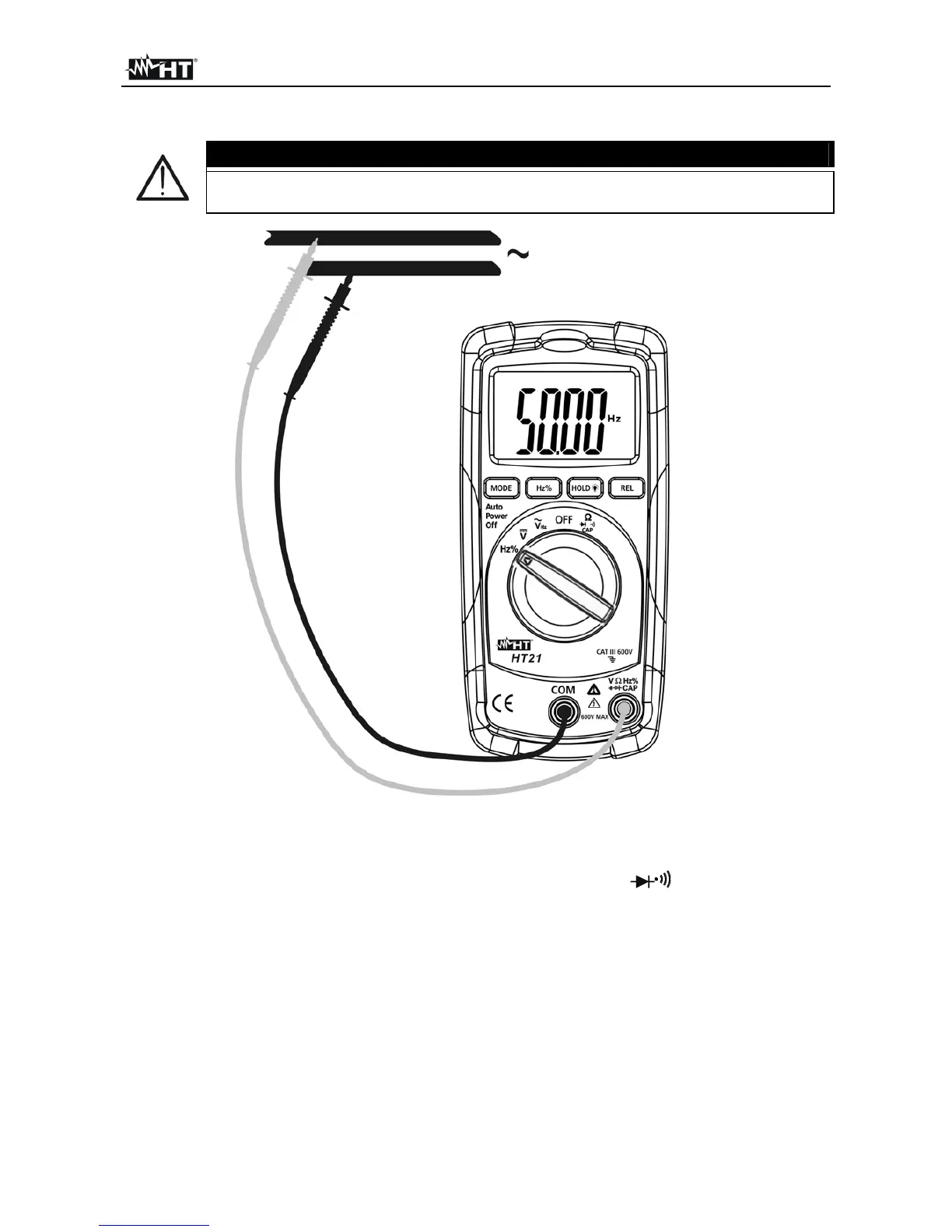
Fig. 6: Using the instrument for frequency and duty cycle measurements
1. Switch on Hz%. “Hz” symbol is displayed
2. Insert the test leads into the jacks, the red plug into VHz%
CAP jack and black
plug into COM jack (see Fig. 6)
3. Connect the test leads to the circuit under test. The frequency value, with kHz or MHz
units, is displayed
4. If the message "O.L" is displayed the higher range is reached
5. Pressing the Hz% key until the “%” symbol is shown at display to meaning the Duty
Cycle test and connect the meter as frequency measurement. The measured value is
displayed
6. For HOLD function please refer to § 4.2



 To Next Page