HT7051 - HT7051N
EN - 5
4 NOMENCLATURE
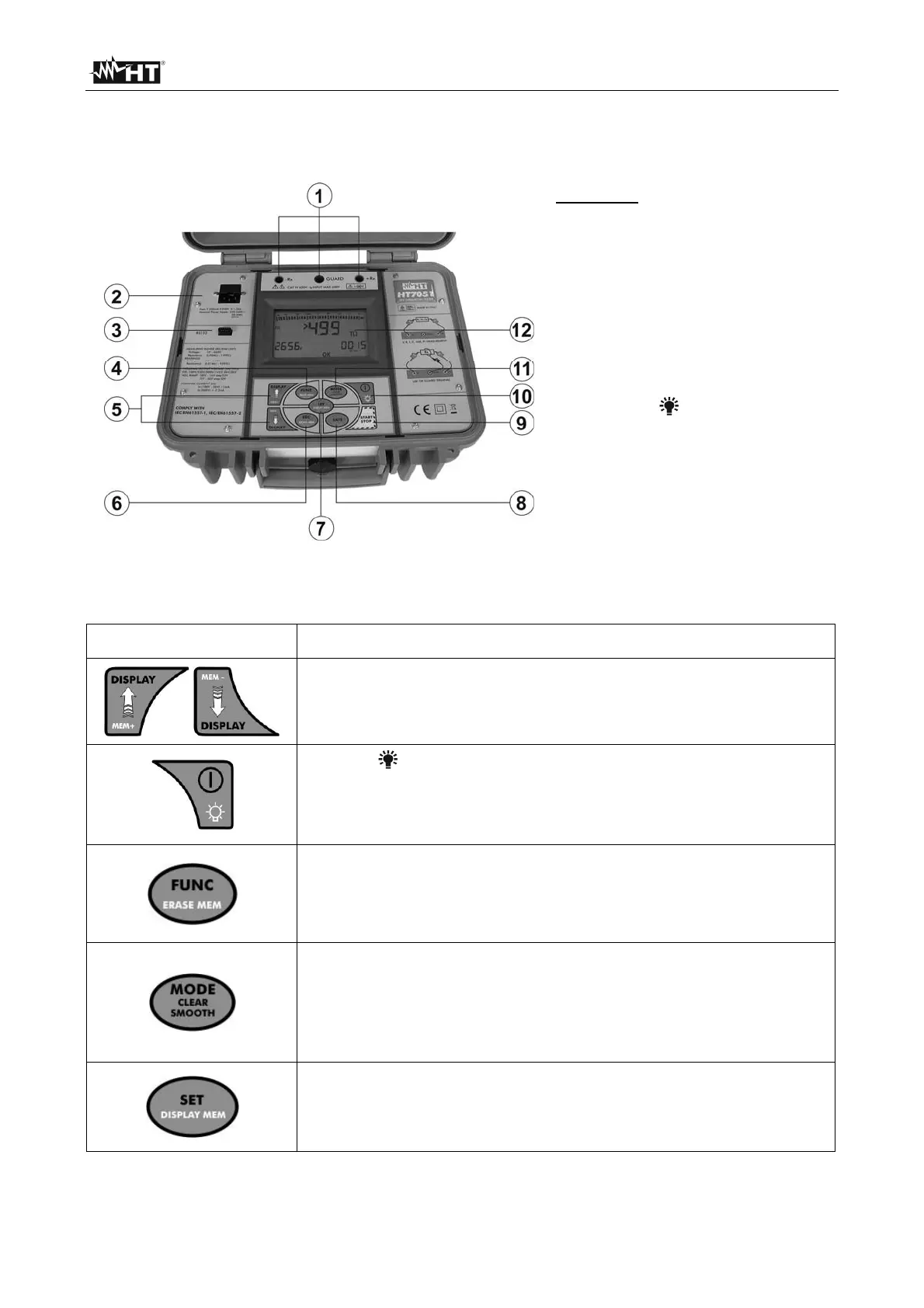
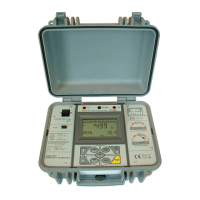
4.1 INSTRUMENT DESCRIPTION
CAPTION:
1. Input bushings
2. Europlug socket
3. RS-232 connector
4. FUNC/ERASE MEM key
5. Multifunction arrow keys
6. ESC/RECALL MEM key
7. SET/DISPLAY MEM key
8. SAVE key
9. START/STOP key
10. ON/OFF/ key
11. MODE/CLEAR SMOOTH key
12. LCD display
Fig. 1: Instrument description
4.2 DESCRIPTION OF FUNCTION KEYS
Key Description
Multifunction arrow keys they have several functions which
are described in detail below
ON/OFF/ key used for:
Switch on/off the instrument
Switch on the display’s backlighting for 20 seconds (short
pressing of the key with the instrument already on)
FUNC/ERASE MEM key used for:
Select the desired function
Delete the measurements saved during the display of
memory data
MODE/CLEAR SMOOTH key used for:
Change the internal modes (if there are more available
modes)
The pressure of the key set the default value of the selected
parameter
SET/DISPLAY MEM key used for:
Set the test parameters of a function
The pressure of the key shows the dates of the
measurement saved inside the memory


 To Next Page