Switching between recently opened apps
It's easy to switch between apps you've opened recently.
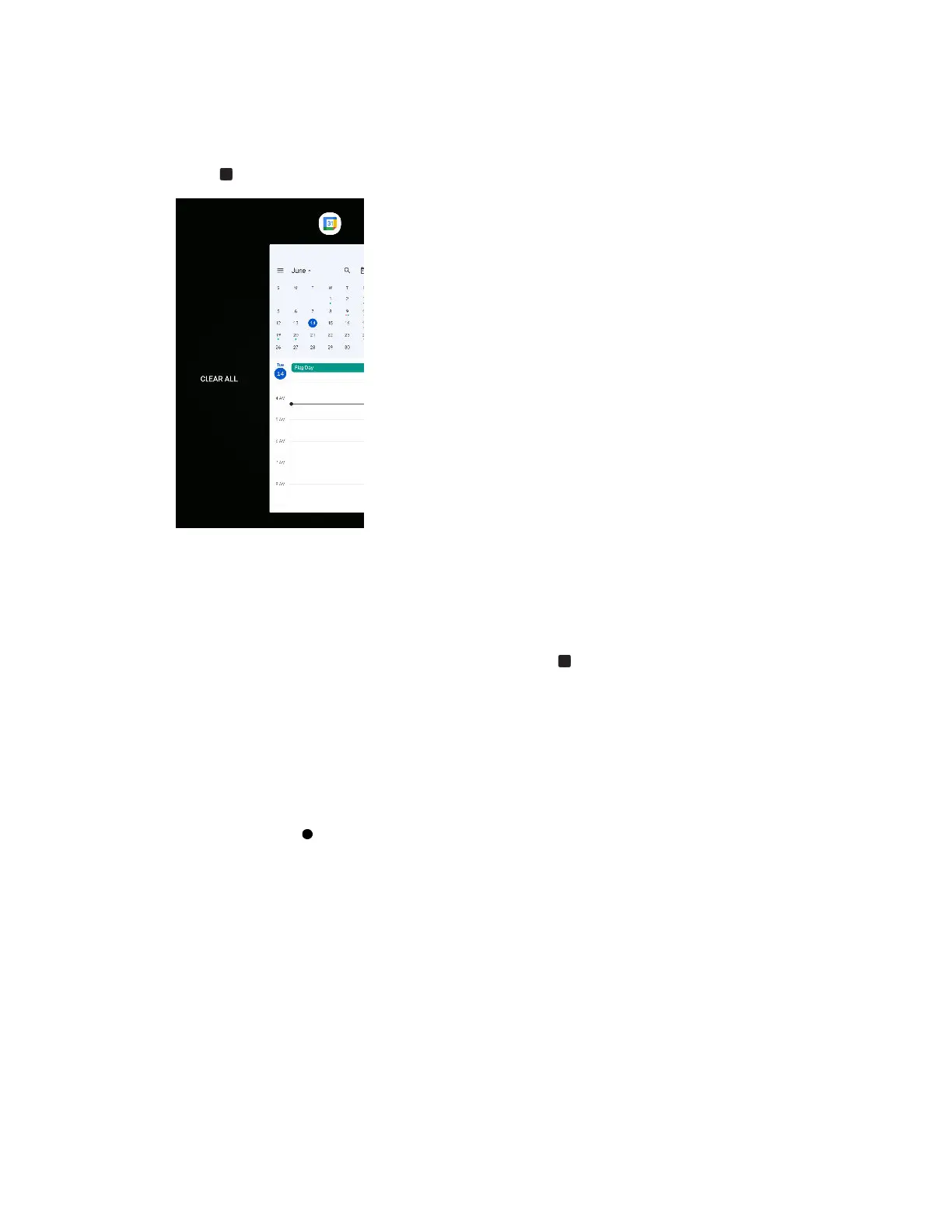
Press to see your recently-opened apps.
§ To go back to an app, scroll through the cards to find the app
and tap it.
§ To remove an app, drag it up.
§ To remove all the apps from this list, swipe right until you see
Clear all and then tap it.
Working with two apps at the same time
Split-screen view allows you to use two apps at the same time.
1. Open the first app you want to use, and then press .
2. At the top border of the app, press and hold the app icon.
3. Tap Split screen. A screen divider will appear and you'll see two screens.
4. Do one of the following:
§ If there are open apps in the recent apps list, tap an app you want to use on the second
screen.
§ Press , and then find and open the app you want to use on the second screen.
To turn off split-screen view, drag the handle of the screen divider to the top or bottom edge of the
screen.
56 Apps and notifications



 To Next Page