38
1
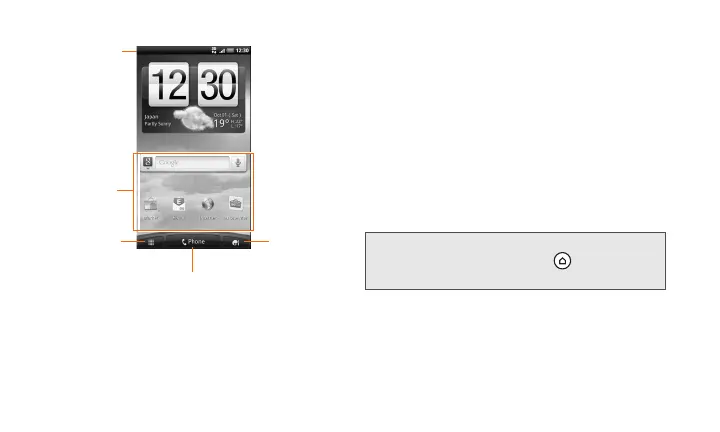
Status Bar: Displays the device status and
notification icons. To open the Notifications
panel, tap and hold the Status Bar, then slide
your finger down (P.16).
2
Application icon: Tap to open the related
application.
3
All application: Tap to open the All apps
screen. The All apps screen holds all
applications on your device.
4
Phone: Tap to open the Phone screen to
make calls.
5
Personalize:
Tap to personalize or add items
to the Home screen, or change the sound
settings of your device (P.41).
memo
• While in any application, press to return to the
Home screen.


 To Next Page