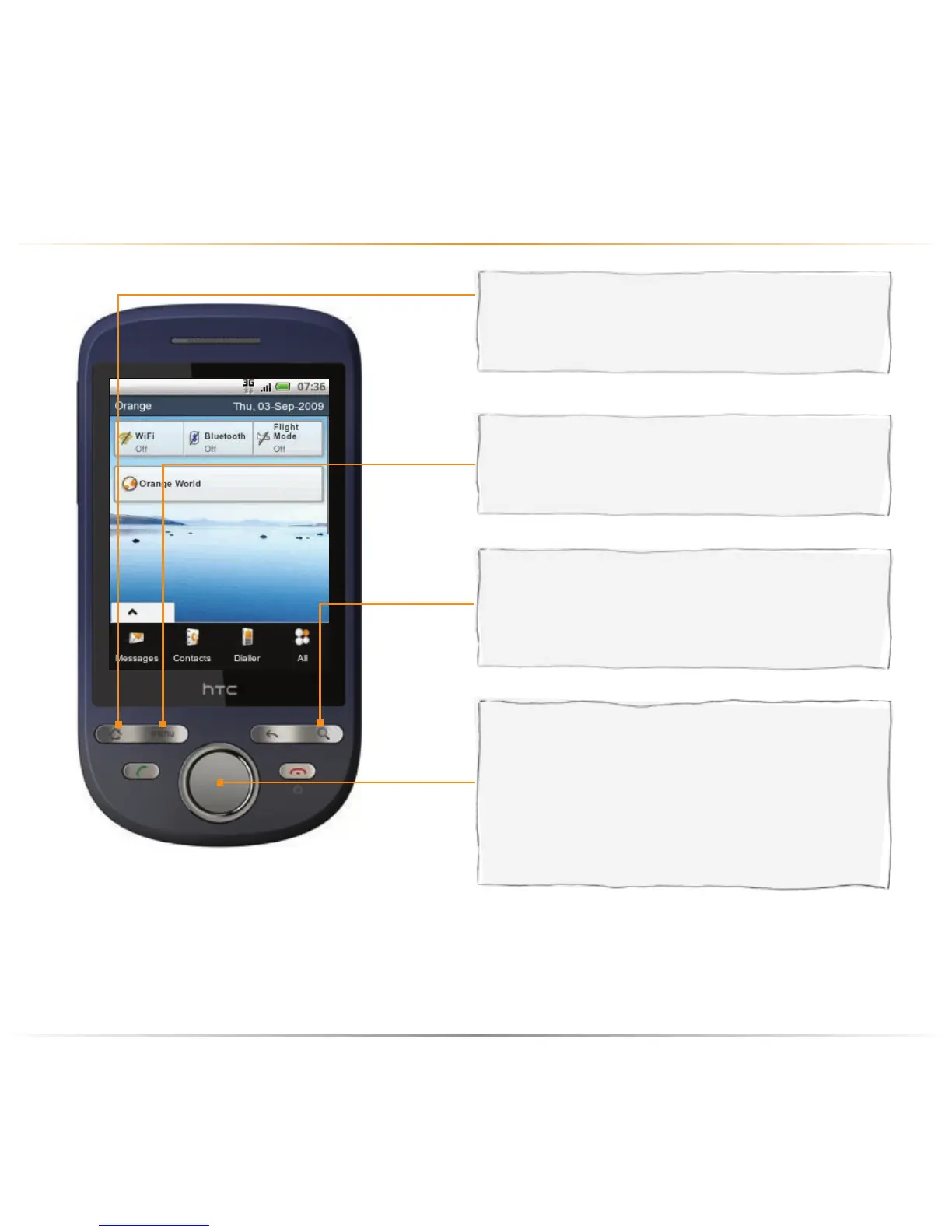
on the outside
your HTC Tattoo don’t forget, we’ve customised more than just the buttons
search button
on any screen, press to search for about
anything on your phone and on the web.
navigation control button
use this button to move up, down and
sideways on screens and menus. Press
the center button to confirm that you want
to carry out the function highlighted on the
screen.
home button
while on any screen or application, press to
return to the Homescreen.
menu button
press this button to see what you can do
on the current screen.
Orange Homescreen
By default, your phone is set to the HTC Homescreen. To switch to the Orange Homescreen,
press HOME > MENU, and then tap Settings > Personalize > Home screen. Select Orange,
and then tap OK.



 To Next Page